


Views: 222 Author: Otechkabel Publish Time: 2026-04-27 Origin: Site


If you are wondering "Can I replace my Starlink cable?", the short answer is yes—but only if you understand Starlink's cable types, signal requirements, and the right installation steps. As a team that has manufactured USB, HDMI, VGA, DVI, SATA and custom low‑loss cables for global OEM brands for over a decade, I have seen both flawless Starlink upgrades and costly failures caused by the wrong cable choice or sloppy outdoor routing. [gushwork]
From the end‑user's point of view, replacing the Starlink cable usually starts with a real‑world problem: the cable is damaged, too long and messy, or simply not performing as expected. From an engineer's point of view, the decision should be based on measurable factors such as attenuation per meter, connector integrity, shielding quality, and environmental protection level (UV, water, and temperature resistance). [innovationvisual]

The Starlink cable is not just a power cord; it is a combined data and power link between your Starlink dish (user terminal) and the router or power supply unit. It transmits high‑frequency data signals and DC power, so its quality directly affects network speed, latency, and long‑term stability. [dtechelectronics]
From user feedback and field deployments, most visible issues fall into three categories:
- Random disconnects in bad weather, often related to micro‑cracks, moisture ingress, or poor outdoor connectors. [dtechelectronics]
- Performance drops when the cable is extended using non‑compliant materials or cheap couplers.
- Physical wear and tear from pets, garden tools, or repeated bending at the same point.
In engineering terms, the cable acts as part of the RF and power chain, so any change in length, shielding, or termination can alter impedance and noise. That is why Starlink uses specific cable designs and keyed connectors on newer generations to reduce user error. [dtechelectronics]
The original article correctly points out three main reasons to replace a Starlink cable: damage, wrong length, and performance degradation. Based on OEM and installer experience, you can refine this into several practical scenarios.
You should consider replacement if you notice:
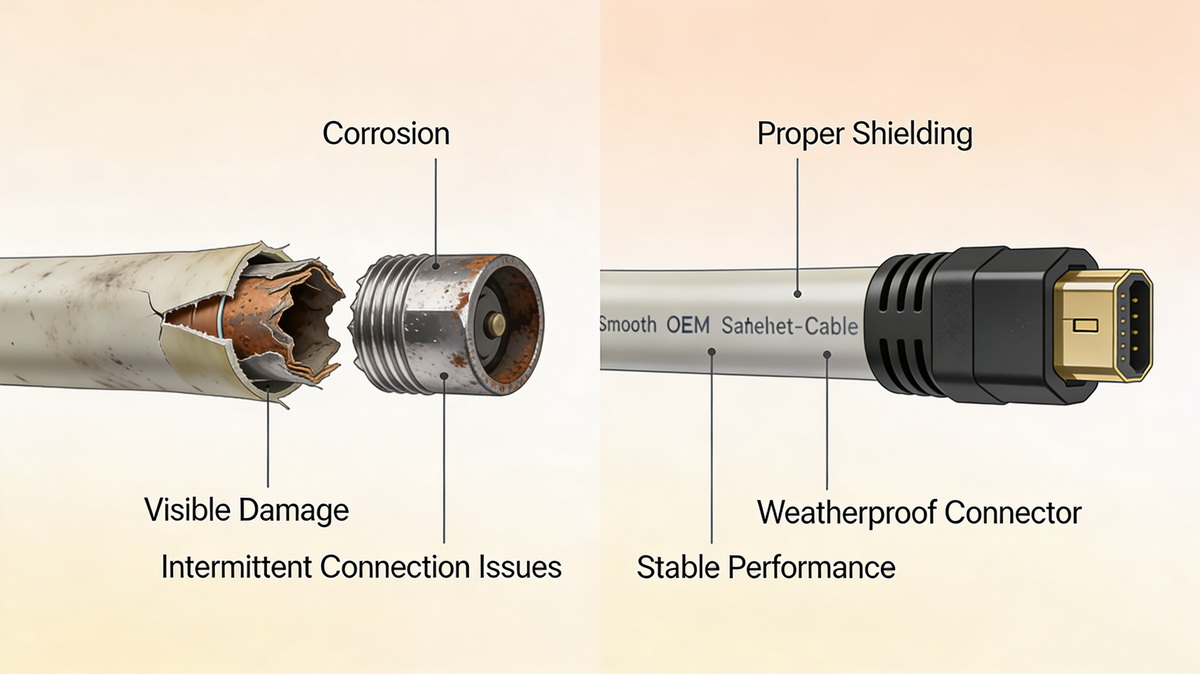
- Visible physical damage: cuts, crushed sections, deep abrasions, or exposed shielding.
- Intermittent connection that improves when you move or bend the cable, indicating internal breaks.
- Error messages or offline status even though the dish has clear sky view and power is stable.
- Corrosion on connectors, especially on outdoor ends exposed to rain or coastal environments.
Even if the cable is not "broken", it may still be wrong for how you are using Starlink:
- The factory cable is too long, creating coils of excess cable that are hard to manage and exposed to damage. [dtechelectronics]
- The factory cable is too short, forcing unsafe routing through windows, door gaps, or across walkways.
- You are relocating the dish to a roof, pole, or outbuilding, and the original route is no longer feasible.
In these cases, replacing the cable with a custom‑length Starlink‑compatible cable or a high‑quality short cable plus neat storage solution can improve both safety and performance. [dtechelectronics]
From a pure technical standpoint, it is possible to replace a Starlink cable yourself, but the approach depends heavily on which generation of hardware you own and how comfortable you are with outdoor low‑voltage installations. [dtechelectronics]
Before you buy or install any replacement, check:
- Hardware generation: Gen 1 systems used Ethernet‑style connections; Gen 2+ introduced proprietary connectors. [dtechelectronics]
- Cable type: Not all generic Ethernet or low‑voltage cables can safely carry Starlink's power and data profile.
- Connector standard: Many third‑party cables use dedicated Starlink‑compatible connectors and should not be mixed with DIY terminations unless you know the pinout and sealing method.
If you are not completely sure, consult Starlink documentation or a professional installer, or choose a reputable OEM cable supplier that clearly states Starlink compatibility and shows lab‑tested parameters. [innovationvisual]
The original guide lists a basic process—check specs, prepare tools, power off, remove the old cable, install the new one, and test the connection—and those steps are fundamentally correct. Below is an expert‑level checklist that adds safety, waterproofing and reliability details.
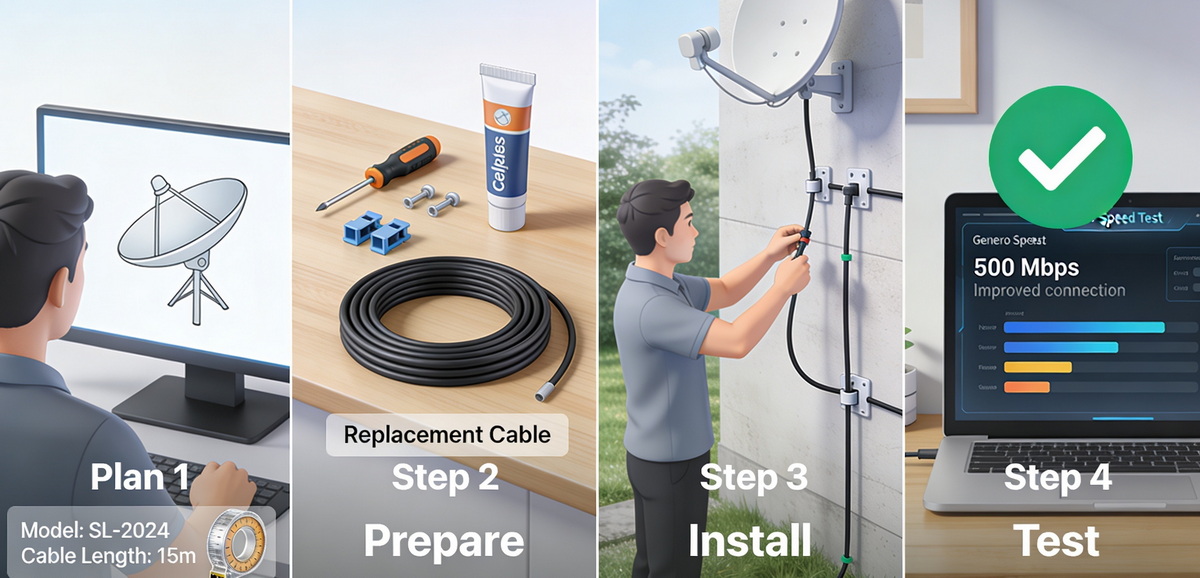
- Identify your Starlink model and existing cable length.
- Decide whether you are replacing with the same length, a shorter cable for neat installation, or a longer cable for a new mounting position. [dtechelectronics]
- Verify the connector type on both ends and ensure the new cable matches exactly.
- Note the routing path: indoor, outdoor, buried, or on a roof, as this affects cable jacket type and UV/weather ratings.
In practice, a smooth replacement requires more than just a screwdriver:
- Tools: screwdriver, cable clips or clamps, appropriate drill bits for wall penetrations where allowed, and a fish tape or pull line if routing through conduits.
- Materials: Starlink‑compatible replacement cable, cable ties, weatherproof grommets for wall passes, and sealant for exterior holes.
- Optional but recommended: surge protection and labels for cable identification, especially in multi‑cable setups.
Having everything ready before powering down minimizes downtime and reduces the risk of half‑finished work in poor weather.
- Shut down the Starlink router or power supply and unplug it from mains.
- Make sure there is no tension on the cable when you disconnect it from the dish and from the router side.
- Carefully release any clips or restraints, avoiding sharp bends or kinks as you remove the cable.
Even though Starlink cables run low voltage, treating them with the same discipline as data center cabling helps avoid invisible damage to connectors or ports.
As you remove the old cable:
- Look for crushed sections, bites, cracks, or discoloration along the jacket.
- Check both connectors for pitting, rust, or looseness.
- If you find severe damage, consider improving your new cable's routing or adding protective conduit in those areas.
This inspection is valuable feedback: it shows where environmental or mechanical hazards exist around your installation.
- Route the new cable following your planned path, keeping it away from sharp metal edges, high‑heat sources, or areas with frequent foot traffic.
- Use gentle bends and respect the minimum bend radius specified by the cable manufacturer.
- Secure the cable using UV‑resistant clips outdoors and avoid pulling it so tight that it is under constant tension.
At connection points, push connectors straight in until fully seated; for any weather‑exposed joints, use the recommended sealing boots or enclosures to maintain waterproof integrity. [dtechelectronics]
Once everything is connected:
1. Restore power to the Starlink system.
2. Wait for the dish and router to resynchronize.
3. Run a speed test and check for packet loss and latency differences compared to your previous baseline.
4. Observe the link for at least 15–30 minutes under normal use to ensure there are no random drops.
If performance is clearly worse, double‑check connectors, routing, and any tight bends; if issues persist, revert to the original cable if possible to isolate whether the new cable is the cause.
The original content correctly warns against improper operation and stresses choosing the right cable. From an OEM and installer's viewpoint, there are several specific mistakes that frequently lead to problems.
While it can be tempting to "shorten" the factory cable by cutting and rejoining it, this is strongly discouraged:
- It compromises the cable's impedance and shielding, often increasing noise and reflection.
- It breaks the factory‑sealed waterproofing, leading to corrosion and intermittent faults over time. [dtechelectronics]
- It can void warranty and support, leaving you with no official assistance if performance degrades.
Instead, use a fully manufactured Starlink‑compatible cable of the desired length or a purpose‑designed short‑cable solution. [dtechelectronics]
Inexpensive generic cables may look attractive, but many lack:
- The correct conductor size and materials for power and data.
- Proper shielding coverage needed for Starlink's frequencies.
- Verified temperature and UV ratings for permanent outdoor use. [dtechelectronics]
Drawing on our experience manufacturing high‑reliability cables for global networking, audio‑visual, and industrial customers, several design parameters stand out as critical for Starlink‑class applications. [blog.animonlive]
When evaluating replacement Starlink cables, pay attention to:
- Conductor material and gauge: High‑purity copper with appropriate AWG ensures minimal voltage drop over long runs.
- Impedance control: Proper impedance matching reduces reflections and preserves signal integrity.
- Shielding structure: Foil plus braid structures provide better EMI protection than basic foil‑only options in noisy environments.
- Jacket material: Outdoor‑rated, UV‑resistant jackets resist cracking and embrittlement in sunlight and wide temperature ranges. [dtechelectronics]
Cables built to these standards are less likely to become the bottleneck in a Starlink installation, especially in harsh climates.
Consider a rural Starlink user who initially routed the factory cable loosely across a yard, where it was eventually damaged by lawn equipment. After replacing it with a shorter, UV‑resistant cable routed through conduit along a fence, the user saw improved reliability through all seasons and no further physical damage. This kind of scenario is typical of what we observe when moving from ad‑hoc to engineered cable solutions.
Based on feedback patterns from Starlink communities and installer reports, several practical tips consistently appear, even when the original article does not spell them out. [dtechelectronics]
- Label both ends of the cable, especially if you have multiple low‑voltage lines entering the building.
- Keep slack loops neat, using a wide diameter and securing them to fixed structures rather than letting them hang.
- In snowy or icy climates, avoid routing cables where ice shedding from roofs can strike and crush them.
- In coastal or high‑humidity regions, periodically inspect outdoor connectors for early signs of corrosion.
These small habits, combined with a high‑quality replacement cable, can add years to your Starlink system's effective life.
While many users successfully replace their Starlink cables on their own, there are cases where bringing in a professional installer or qualified electrician is the safer and more efficient option. [innovationvisual]
You should strongly consider expert help if:
- Your dish is mounted on a high roof, tower, or mast, where work at height introduces safety risks.
- You plan to route cables through walls, attics, or underground conduits and are unfamiliar with building codes.
- Your business depends on near‑continuous connectivity, and you cannot afford extended trial‑and‑error downtime.
Professional installers typically carry the right tools, test equipment, and Starlink‑compatible cables, and can often complete a full replacement with documented test results in a single visit. [dtechelectronics]
As a specialized cable manufacturer, we support overseas brands, wholesalers, and system integrators with OEM Starlink‑compatible cables and related low‑voltage assemblies tailored to real deployment needs. [gushwork]
For Starlink‑style applications, we can:
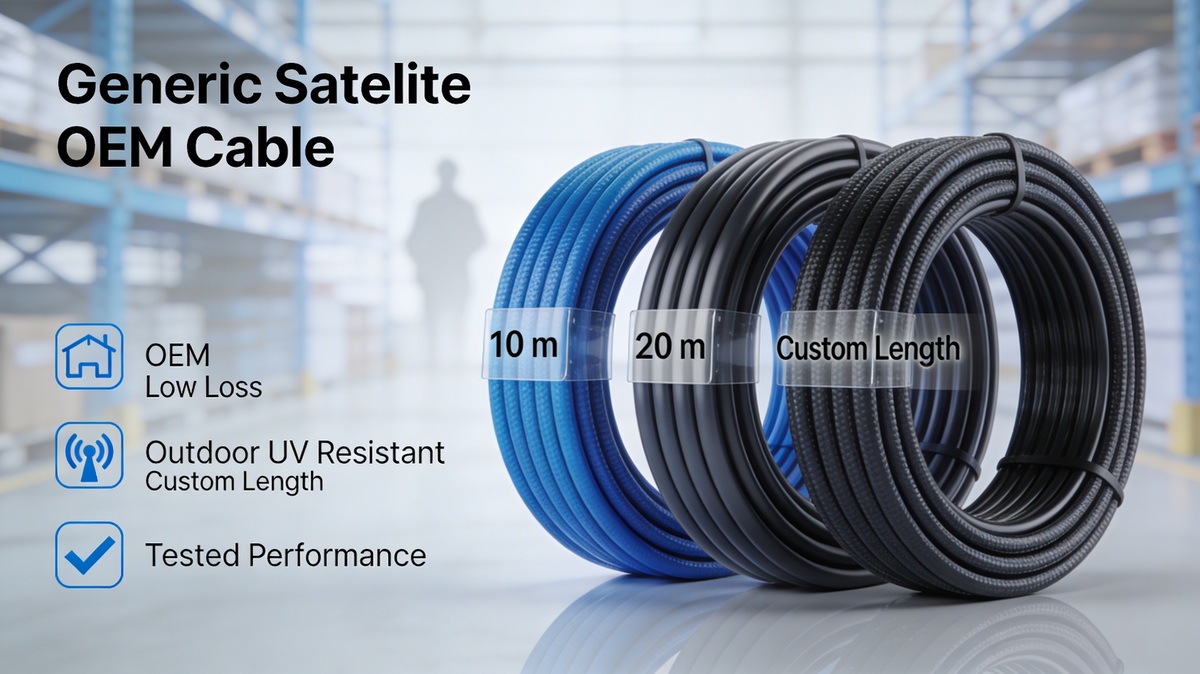
- Produce custom‑length cables with Starlink‑compatible connectors and strict impedance control.
- Offer enhanced shielding and rugged jackets for industrial, marine, or extreme‑climate installations.
- Provide batch testing, documentation, and labeling for large projects and rollouts.
If you are an installer, distributor, or equipment manufacturer looking to improve your Starlink‑related offerings, partnering with an experienced OEM cable producer allows you to deliver consistent, tested performance rather than relying on generic off‑the‑shelf options.
If your Starlink cable is damaged, too long, or unreliable, now is the right time to plan a safe, standards‑compliant replacement rather than waiting for a total failure. Use the checklists above to evaluate your current setup, then choose a high‑quality Starlink‑compatible cable that matches your hardware generation, length requirements, and environmental conditions. [dtechelectronics]
No. Most Starlink systems use proprietary cables and connector standards, and not all Ethernet cables are suitable for the combined power and data profile Starlink requires. Using generic cabling can cause instability or damage. [dtechelectronics]
Using non‑approved cables or modifying the original cable (for example, cutting and splicing) can affect warranty and support eligibility. Always check current Starlink terms and choose fully compatible, professionally manufactured cables. [dtechelectronics]
Starlink specifies maximum cable lengths for each hardware generation, balancing power delivery and signal integrity. In practice, staying close to the factory length or using a professionally engineered longer cable with proper conductor size and shielding is safest. [dtechelectronics]
You should only bury cables with jackets and constructions rated for direct burial or use conduit for protection. Ordinary indoor‑style cables are not designed for soil, moisture, or mechanical stress underground. [dtechelectronics]
There is no fixed schedule; a high‑quality, properly installed cable can last many years. Replace it when you see physical damage, repeated connection issues, or after major relocation or renovation that stresses the existing run.
1. PCM Cable – "Can you replace the Starlink cable?" [https://www.pcm-cable.com/info/can-you-replace-the-starlink-cable-97464763.html]
2. Dtech Electronics – "2025 Starlink Cable Buying Guide – Comprehensive analysis from model to installation." [https://www.dtechelectronics.com/2025-starlink-cable-buying-guide-comprehensive-analysis-from-model-to-installation_n147]
3. Innovation Visual – "Google's EEAT Guidelines – How To Remain Compliant." [https://www.innovationvisual.com/knowledge-hub/resources/google-eeat-guidelines-how-to-remain-compliant]
4. Gushwork – "SEO for Manufacturers: A Comprehensive Guide." [https://www.gushwork.ai/blog/boost-strategy-seo-manufacturers]
5. Animon Live – "How an electric cable and wire manufacturer benefited from SEO." [https://blog.animonlive.com/how-an-electric-cable-and-wire-manufacturer-benefited-from-seo/]
6. Kuno Creative – "HubSpot SEO Success with Cable Manufacturing Company." [https://www.kunocreative.com/blog/hubspot-seo-success-with-cable-manufacturing-company]


