


Views: 266 Author: Otechkabel Publish Time: 2026-07-16 Origin: Site


Content Menu
● Understanding Different Camera–Computer Connections
● USB Cables: The Everyday Workhorse
>> Main USB Variants on Cameras
>> Practical Use in Real Shoots
● Real‑Time Video and Monitoring With HDMI
● High‑Speed Interfaces for Professional Video Workflows
>> Why Speed and Stability Matter
● Legacy Cables: Working With Older Equipment
>> Keeping Legacy Systems Running
● Network‑Based Connections Using Ethernet
>> Advantages in Multi‑Camera and Remote Work
>> Cable Types for Networked Cameras
● Matching Cable Choice to Real‑World Workflows
● Design Features That Improve Reliability
● Integrating Cables Into Broader Systems
The choice of cable between a camera and a computer depends on how you use the camera, the ports available on both devices, and the level of reliability you need in daily work. For modern still and video cameras, the most common options are USB, HDMI, high‑speed data interfaces, legacy cables, and network connections, each serving a specific workflow from simple file transfer to complex multi‑camera systems.
When connecting a camera to a computer, it helps to start by defining the purpose of the connection. Some photographers only need to download files after a shoot, while others rely on a stable real‑time link for studio sessions, live video, or remote monitoring. Each scenario places different demands on the cable, including speed, latency, and physical durability.
A basic file transfer workflow usually requires a simple point‑to‑point link. In contrast, live view, streaming, and multi‑camera setups often involve additional hardware such as capture devices or network switches. Before choosing any cable, it is worth checking the ports on the camera body and on the computer to avoid using adapters that may introduce instability.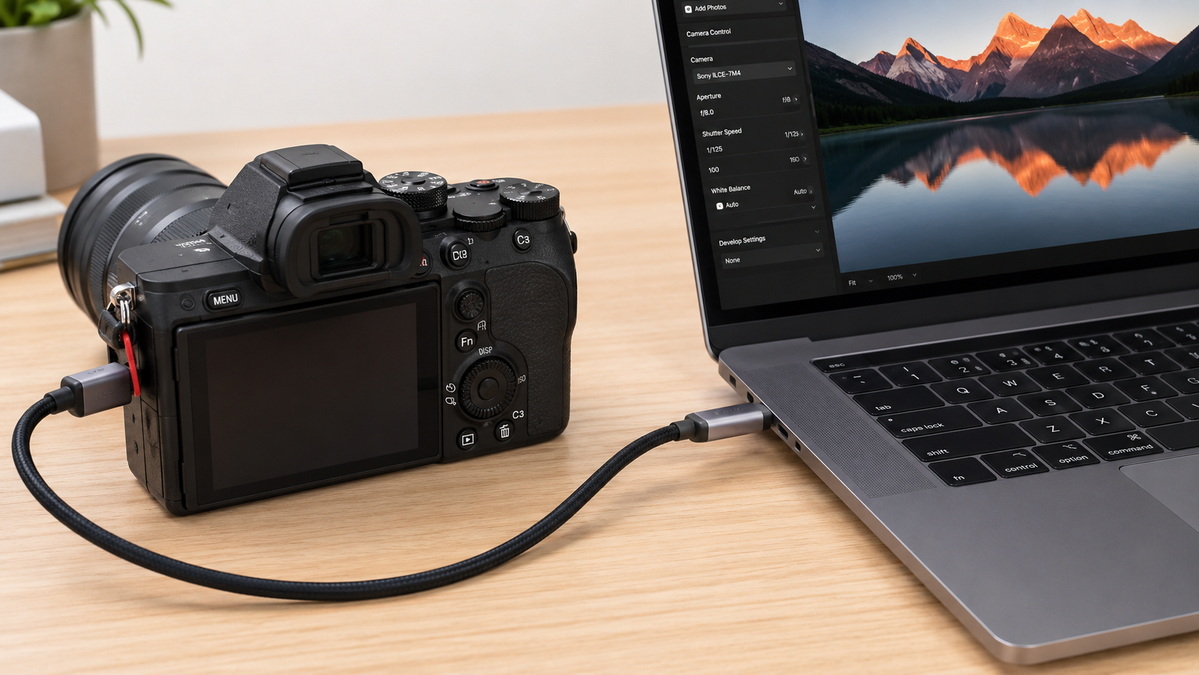
For most photographers and videographers, a USB cable is the default choice to connect a camera to a computer. It is widely used for transferring photos and video clips and, in many cases, for tethered shooting where images appear instantly on the computer screen as they are captured.
Many older digital cameras use a USB 2.0 connection, often with a Type‑A plug on the computer side and a Mini‑USB or Micro‑USB connector on the camera. Later generations introduced USB 3.x ports with distinctive connectors capable of higher data transfer speeds, which is important when handling large RAW files or longer video clips. Recently, more camera models have adopted USB‑C, offering reversible connectors, higher throughput, and better compatibility with modern laptops.
From a practical point of view, a short, well‑shielded USB cable tends to provide the most reliable experience for daily file transfer and tethered work. Long, thin, low‑quality cables are more likely to cause intermittent disconnections, especially when sending large volumes of data. Many studio photographers prefer reinforced cables with strain relief at both ends, since cameras and computers may be frequently moved, and plugs can be stressed by bending or accidental pulling.
Where a high‑quality live image is needed on a larger screen, HDMI is a natural choice. A typical setup connects the camera's HDMI output to a monitor or television, allowing instant visual feedback on composition and focus. With suitable hardware, the same HDMI signal can also be fed into a computer for recording or live transmission.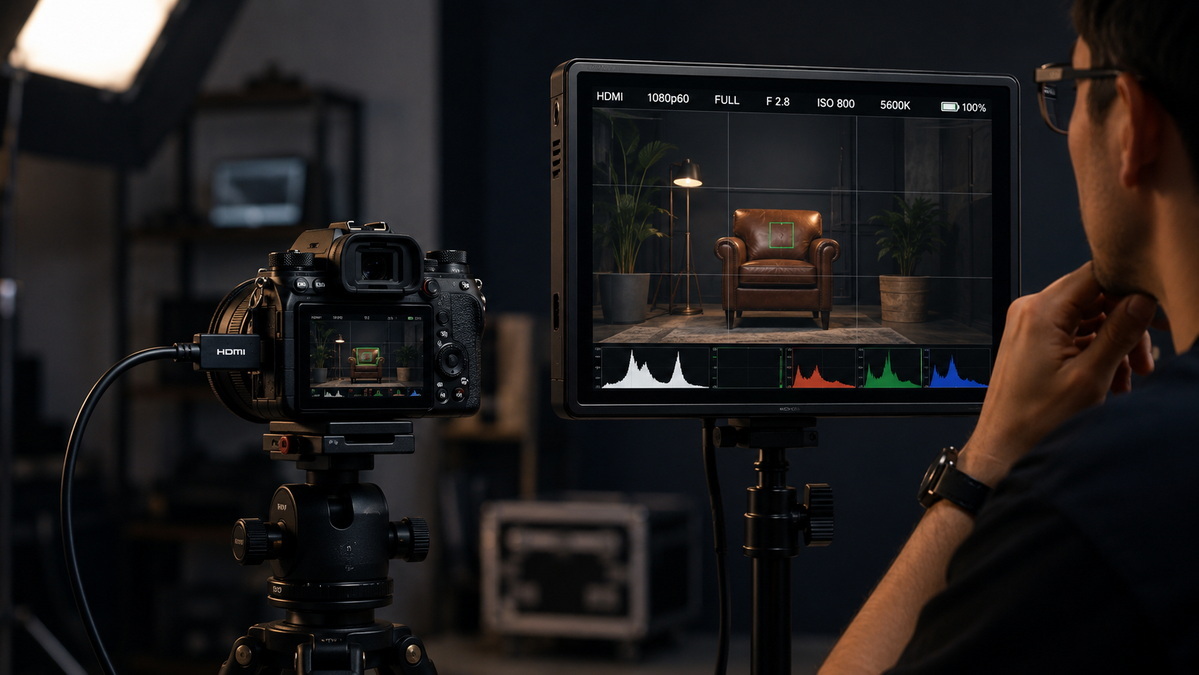
In studio environments, connecting a camera directly to a display makes it easier for photographers and clients to evaluate images as they are captured. For content creators and streamers, cameras providing a clean video signal can send that feed through HDMI to a capture interface, which then presents the video to the computer as an input source. This combination is common in online webinar setups, live events, and creative production spaces.
For high‑resolution video such as Full HD or 4K, it is important to use HDMI cables rated for the required bandwidth. Longer runs may benefit from thicker conductors and better shielding to prevent image dropouts, especially in environments with strong electrical noise from lighting and other equipment. When cables are regularly coiled, transported, and stepped over, flexible jackets and robust connectors help maintain reliability over time.
At the higher end of video production, some systems rely on dedicated high‑speed data interfaces between cameras, recorders, and computers. These connections are designed for extremely bandwidth‑intensive tasks, such as capturing uncompressed or lightly compressed footage, moving multi‑gigabyte files, or linking to fast external storage.
Cinema‑oriented cameras and advanced video rigs often produce data rates that far exceed the capabilities of basic connections. In such cases, a single cable may need to carry large volumes of data with minimal latency, sometimes alongside control signals and power. Professional post‑production environments demand stability during long recording sessions, where any frame drop or error could compromise the material.
For these applications, cables must combine low electrical resistance with robust shielding against interference. High‑quality connectors with precise tolerances and secure locking mechanisms are preferred to prevent accidental disconnections. In practice, manufacturers and integrators often work closely with specialized cable producers to ensure that the chosen designs meet strict performance and durability standards.
Not all cameras in use today are recent models. Many studios, educational institutions, and individual creators still rely on older camcorders and digital cameras that use legacy interfaces. These can include older data connections, specialized video outputs, or formats once popular but now rare on new computers.
A common example is the digitization of historical footage stored on tape‑based cameras. These devices often connect to computers through interfaces that have disappeared from modern laptops. Migration projects, archival work, and nostalgic content creation may therefore require dedicated cables, converters, or adapter chains that bridge between old standards and today's hardware.
While it may be tempting to replace such equipment immediately, budgets and project requirements do not always allow that. In many cases, a reliable set of legacy cables can extend the usable life of a camera system, providing sufficient quality for specific tasks. Producers that understand both older and new standards are in a good position to advise on compatible cabling solutions.
In more complex imaging setups, cameras can be connected to computers over network cables. This approach is common for network cameras, remote monitoring systems, and industrial machine vision. Rather than a single direct link, cameras join a broader infrastructure of switches, servers, and control workstations.
Ethernet links allow cameras to be placed far away from the controlling computer without relying on long point‑to‑point cables. They also make it easier to integrate multiple cameras into one system, sending image streams, control commands, and status information over standard networking equipment. For surveillance, production floors, and automated inspection, this flexibility is often more important than the simplicity of a direct cable.
Straightforward installations may use standard twisted‑pair network cables with familiar connectors. More demanding environments, such as industrial sites, often require ruggedized cable jackets, enhanced shielding, and specific fire or safety ratings. Matching cable category and build quality to the data rate and distance involved helps keep image transmission stable even in harsh conditions.
Selecting a cable is easier when you move from theory to practical scenarios. A fashion photographer shooting in a small studio with a modern camera and laptop typically needs a short, robust USB‑C cable for tethering. A wedding filmmaker who monitors framing on a separate screen might rely on an HDMI link from the camera to a portable display.
In contrast, a content creator who streams live shows might combine HDMI from the camera with a capture interface plugged into a computer, carefully choosing cable lengths to avoid latency and dropouts. An engineer working with multiple machine‑vision cameras on a production line could adopt Ethernet connections routed through switches to a central control system. Each scenario illustrates how different cables are optimized for their specific roles.
Experience in both photography and industrial settings shows that subtle design choices in cables can greatly affect day‑to‑day reliability. Reinforced connectors reduce the risk of damage during frequent plugging and unplugging. Strain relief structures protect the connection where the cable meets the plug, a common point of failure when cables are pulled or bent sharply.
Shielding layers built into the cable can help reduce interference from surrounding electrical equipment, which is particularly important in studios with powerful lights or in factories with heavy machinery. Flexible yet durable outer jackets make cables easier to route and coil while resisting abrasion. For busy workspaces with multiple cables, clear labeling, color coding, and custom lengths keep installations neat and minimize confusion.
Manufacturers that specialize in designing and producing such cables can tailor these features to match the needs of photographers, video professionals, security integrators, and industrial users. This tailored approach supports consistent performance across different camera models, computers, and deployment environments.
In modern imaging ecosystems, cables rarely work alone. They coexist with software for remote control, monitoring applications, capture and editing tools, and storage solutions. As cameras evolve and computers adopt new interfaces, cables must be updated to remain compatible, but they also need to support transitional setups where old and new devices coexist.
System designers and equipment brands often collaborate with cable producers to define specifications that match their hardware, including connectors, conductor materials, shielding schemes, bend tolerances, and aesthetic details such as color or branding. The resulting cables become part of a cohesive solution, helping the end‑user enjoy a seamless experience, whether shooting portraits in a studio, capturing live events, or monitoring processes in a factory.
Understanding the role of each cable type and the impact of design choices enables users to build reliable, efficient camera–computer connections that suit both current workflows and future expansion.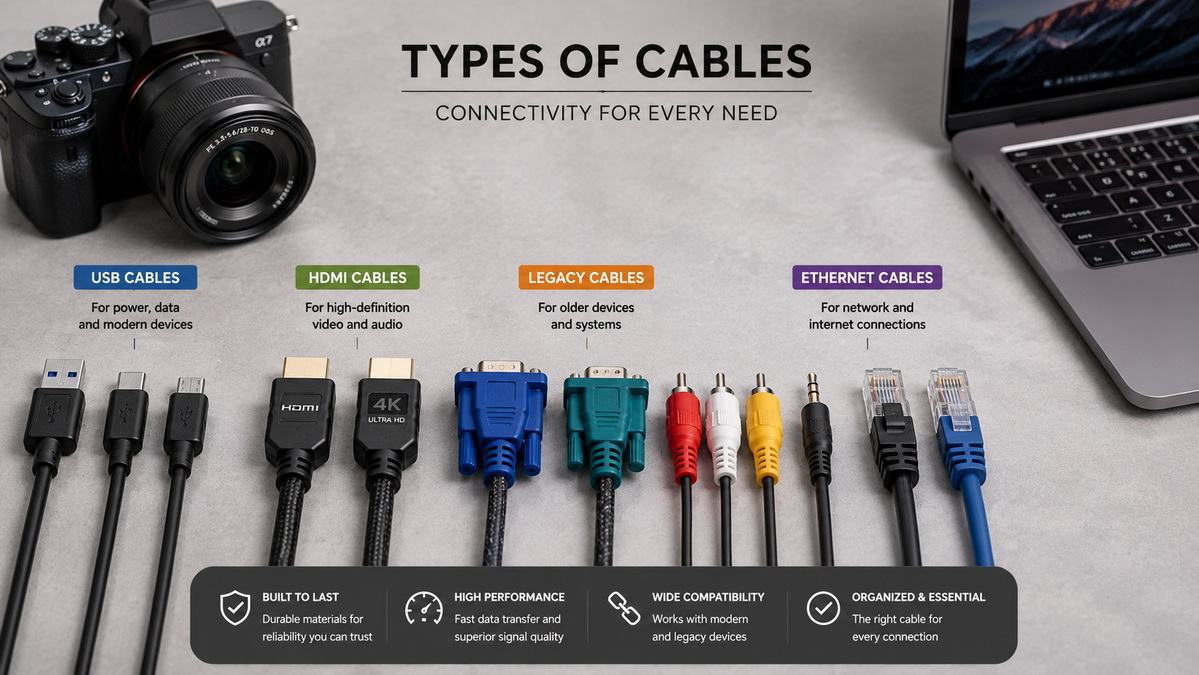
1. Shenzhen Otechkabel Electronic Co., Ltd – "What cable between camera and computer?" (Original knowledge article). https://www.pcm-cable.com/info/what-cable-between-camera-and-computer-84299350.html
2. Search Engine Land – Product page SEO: A complete guide. https://searchengineland.com/product-page-seo-guide-437261
3. Ahrefs – 14 Ways to Improve Ecommerce Product Pages for SEO. https://ahrefs.com/blog/ecommerce-product-page-seo/
4. AdRoll – Product Page SEO: How to Boost Rankings For Your Product Content. https://www.adroll.com/blog/product-page-seo-how-to-boost-rankings-for-your-product-content
5. Google Merchant Center Help – Tips to optimize your product data. https://support.google.com/merchants/answer/7380908
6. Prefixbox – SEO for Product Pages: 9 Fixes for Higher Rankings. https://www.prefixbox.com/blog/seo-for-product-pages-9-fixes/
7. Visively – E‑E‑A‑T for product pages. https://visively.com/kb/content/eeat-for-product-pages
8. YouTube – The Ultimate Product Page SEO Guide for eCommerce SEO (2025), Kai Cromwell. https://www.youtube.com/watch?v=M37C9-ksZDo


