
Views: 222 Author: Rebecca Publish Time: 2026-02-14 Origin: Site


Content Menu
● What Do "Type A" and "Type B" Actually Mean?
● T568A vs T568B: Color Codes and Pinouts
● Straight-Through vs Crossover: Where Type A and B Matter
>> Straight-Through Cable (Most Common)
>> Crossover Cable (Legacy or Special Cases)
● Is There a Performance Difference Between Type A and Type B?
● How to Choose: When to Use T568A vs T568B
● Practical Installation Tips for Type A and Type B
● Common Mistakes With Type A and Type B
● Use Cases: Home, Office, Automotive, and Industrial
>> Home and Small Office Networks
>> Commercial and Data Center Environments
>> Automotive and Embedded Ethernet
>> Industrial and OEM Products
● Comparison Table: T568A vs T568B
● Step-by-Step: How to Terminate an Ethernet Cable to Type A or B
● Expert Insight: Best Practices for OEMs and Cable Suppliers
● Take the Next Step With Your Ethernet Cabling
● FAQ: Type A vs Type B Ethernet Cables
>> 1. Is Ethernet cable type A or type B faster?
>> 2. Can I mix T568A and T568B in the same network?
>> 3. Do I still need crossover cables for modern devices?
>> 4. Which should I choose for a new office installation: T568A or T568B?
>> 5. What happens if I wire one end as T568A and the other as T568B by accident?
Choosing between Type A and Type B Ethernet cable wiring is less about performance and more about standards, compatibility, and consistency in your network.

In Ethernet cabling, “Type A” and “Type B” usually refer to the T568A and T568B wiring standards used to terminate twisted-pair cables into RJ45 connectors.
- Both standards are defined under ANSI/TIA-568 for structured cabling.
- The only real difference is the order of the color pairs on the RJ45 pins.
- Electrical performance and supported Ethernet speeds are the same for both.
These standards are applied to common Ethernet categories like CAT5e, CAT6, and CAT6a used in home, office, and industrial networks.
T568A rearranges the green and orange pairs compared to T568B.
Typical T568A pinout:
1. White/Green
2. Green
3. White/Orange
4. Blue
5. White/Blue
6. Orange
7. White/Brown
8. Brown
T568B is more widely adopted in many commercial installations and legacy systems.
Typical T568B pinout:
1. White/Orange
2. Orange
3. White/Green
4. Blue
5. White/Blue
6. Green
7. White/Brown
8. Brown
The key takeaway is that the pair positions (which pairs carry transmit/receive) are functionally equivalent; only the color mapping differs, so performance is identical when done correctly.
The question “Is Ethernet cable type A or B?” is often really about how the two ends are terminated.
- Both ends use the same standard: A–A or B–B.
- Common uses include:
- PC to switch
- PC to router
- Switch to patch panel
Modern switches and network interface cards generally support auto-MDI/MDI-X, so straight-through cables are the default choice and work in most situations.
- One end uses T568A, the other uses T568B.
- Historically used to connect two similar devices directly, such as:
- PC to PC
- Switch to switch without an uplink port or auto-MDI-X
Many modern devices no longer require crossover cables because ports automatically swap transmit and receive internally.
For each cable segment, keep both ends on the same standard. You can mix A-based segments and B-based segments within a network as long as each individual cable segment is consistent.
From a physical and electrical perspective, there is no meaningful performance difference between T568A and T568B.
- Both can support the same Ethernet categories (CAT5e, CAT6, CAT6a, and above).
- Both meet the same impedance, crosstalk, and bandwidth requirements defined in structured cabling standards.
- Any issues with speed or stability typically come from poor terminations, substandard cable, or installation faults, not from choosing A instead of B.
For installers and OEM buyers, this means you can choose either scheme as long as documentation and implementation are consistent.
The best choice depends on project type, region, and legacy infrastructure.
- Residential cabling, where T568A is recommended in some residential cabling standards.
- Projects required to follow specific government or telecom guidelines that prefer T568A.
- New installations where there is no legacy T568B infrastructure and you want to align with certain structured cabling conventions.
- Commercial buildings, offices, and data centers with a long history of T568B deployments.
- Environments where existing patch panels, patch cords, and documentation already follow T568B.
- Installers or OEMs standardizing on one global convention for ease of training and inventory, often T568B in practice.
In many markets, T568B is more widely adopted, which can simplify maintenance and minimize confusion among technicians.
Correct implementation matters more than the choice of T568A or T568B.
1. Decide your standard in advance
- Choose one default (T568A or T568B) for the project or facility.
- Document it in drawings, labels, and project specifications.
2. Use quality cable and connectors
- Select CAT5e, CAT6, or higher from reliable manufacturers with proper certification.
- Match components (keystones, patch panels, plugs) to the cable category.
3. Maintain pair twist
- Untwist pairs as little as possible near the termination to minimize crosstalk.
- Follow the color diagrams closely for T568A or T568B.
4. Test every link
- Use a cable tester to verify continuity, pair mapping, and performance.
- Confirm the result matches your intended standard (A–A, B–B, or A–B for crossover).
5. Label clearly
- Mark patch panels, outlets, and cable tags with the chosen standard.
- This avoids confusion for future moves, additions, and changes.
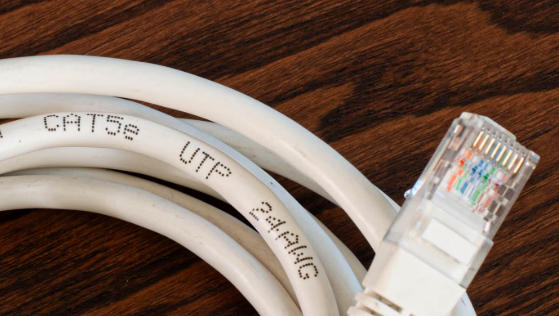
Installing Ethernet cabling seems simple, but small mistakes can cause big problems.
- Mixed terminations on the same link: one end wired as T568A, the other as T568B unintentionally, creating an unwanted crossover.
- Inconsistent standards across a patch panel: some ports T568A, some T568B, leading to troubleshooting difficulties.
- Ignoring pair order: matching colors by eye instead of consulting an A or B chart, resulting in split pairs and poor performance.
- Skipping testing: relying on visual inspection instead of certifying with a tester.
Avoid these by standardizing on well-documented procedures and training your team on a single, consistent practice.
Ethernet cabling standards T568A and T568B apply across many application domains.
- Structured cabling for Wi-Fi access points, smart TVs, NAS devices, and PCs.
- Typically uses CAT5e or CAT6 UTP with T568A (to align with some residential standards) or T568B where installers are more familiar with that sequence.
- Higher density patch panels, multi-rack connections, and backbone links.
- T568B is commonly used due to legacy practices and widespread adoption.
- Cables often use CAT6 or CAT6a with stringent testing and documentation.
- Modern vehicles use automotive Ethernet for cameras, infotainment, and driver assistance systems.
- While the underlying signaling and cabling types may differ from standard office Ethernet, the concept of consistent pair mapping and wiring discipline remains critical.
- Industrial controllers, robots, and machines increasingly use Ethernet for real-time data.
- OEMs that integrate Ethernet harnesses need repeatable termination standards (T568A or T568B) across product families to simplify quality control and service.
| Aspect | T568A | T568B |
|---|---|---|
| Standards family | ANSI/TIA-568 approved | ANSI/TIA-568 approved |
| Key difference | Green and orange pairs swapped | Green and orange pairs swapped |
| Electrical performance | Same as T568B | Same as T568A |
| Typical use | Residential cabling, some gov/telecom | Commercial, legacy LANs, data centers |
| Backward compatibility focus | With some older telephone layouts | With long-standing LAN deployments |
| Common preference in practice | Less common in some regions | More widely adopted in many regions |
| When used in crossover | One end of A–B crossover | The other end of A–B crossover |
This is a practical workflow you can apply in a workshop or on-site.
1. Cut and strip the cable
- Cut the cable cleanly and strip the outer jacket by about 2–3 cm.
2. Untwist and arrange pairs
- Gently untwist pairs and arrange them in the T568A or T568B sequence you have chosen.
3. Trim to uniform length
- Align all conductors and trim them flat so they insert evenly into the RJ45 plug.
4. Insert into the RJ45 connector
- Ensure each conductor seats fully into the correct pin channel according to T568A or T568B.
5. Crimp the connector
- Use a suitable crimp tool to firmly secure the RJ45 and strain relief.
6. Repeat for the other end
- For a straight-through cable, use the same standard at both ends.
- For a crossover cable, use T568A on one side and T568B on the other side intentionally.
7. Test the cable
- Use a cable tester to confirm correct pin mapping, continuity, and overall performance.
Following these steps consistently reduces return rates and troubleshooting time for installers and OEMs.
For OEM brands, wholesalers, and cable assemblers, the strategic focus is standardization and documentation rather than searching for a “better” standard.
- Standardize on one wiring convention (often T568B) across your product lines to simplify training and quality checks.
- Offer custom T568A or T568B terminations on request for specific markets, government contracts, or integration with existing infrastructure.
- Provide clear datasheets and wiring diagrams with every cable model so installers know the exact termination standard.
- Use automated or semi-automated crimping and 100% testing on production lines to guarantee consistency and reliability.
By positioning your products as standards-compliant and fully documented, you build trust with professional buyers who depend on predictable performance across large deployments.
If you are planning a new network, upgrading existing infrastructure, or sourcing customized Ethernet cables for OEM projects, now is the ideal time to define a clear wiring standard and partner with a professional cable manufacturer. By choosing a reliable supplier that can deliver consistent T568A or T568B terminations, full testing, and detailed documentation, you reduce installation risks and long-term maintenance costs. Contact our team to discuss your Ethernet cable requirements, request samples, or obtain a tailored quotation for your next project.
Contact us to get more information!
Both T568A and T568B deliver the same speed and performance when used with the same cable category and correct terminations.
Yes, as long as each cable segment is terminated consistently at both ends (A–A or B–B). You can mix A-based segments and B-based segments between devices without issues.
In many cases, no. Modern switches and network cards often support auto-MDI/MDI-X and work correctly with straight-through cables. Crossover cables are mainly for legacy equipment or special cases.
Most commercial environments favor T568B because of its widespread legacy use and installer familiarity, but either standard is acceptable if you apply it consistently across the installation.
You unintentionally create a crossover cable. It may still work in some scenarios but can cause unpredictable behavior and confusion during troubleshooting, so it is better to correct it.
1. https://www.pcm-cable.com/info/is-ethernet-cable-type-a-or-b-102763934.html
2. https://www.flukenetworks.com/knowledge-base/application-or-standards-articles-copper/differences-between-wiring-codes-t568a-vs
3. https://www.wiringview.com/ethernet-wiring-a-b-difference/
4. https://www.truecable.com/blogs/cable-academy/t568a-vs-t568b
5. https://www.oreateai.com/blog/understanding-ethernet-cables-the-difference-between-a-and-b/c6da27cc79dcabf0b89395be1fbc760a


