


Views: 222 Author: Rebecca Publish Time: 2026-02-08 Origin: Site


Content Menu
● What Is a USB 3.0 Type‑A to Type‑A Cable?
● Overview of the Three Wiring Options
>> Key Wiring Behaviors by Option
● USB 3.0 Signal Basics You Must Understand
● Wiring Option 1: Standard USB 3.0 A‑to‑A for Host‑to‑Host
>> Simplified Mapping Highlights (Option 1)
● Wiring Option 2: Custom A‑to‑A Special Wiring #1 (VBUS + Crossed Data Pairs)
>> Simplified Mapping Highlights (Option 2)
● Wiring Option 3: Custom A‑to‑A Special Wiring #2 (VBUS + Straight‑Through Data Pairs)
>> Simplified Mapping Highlights (Option 3)
● How to Choose the Right Wiring for Your Application
● Signal Integrity, Shielding, and EMI Best Practices
● Practical Design and Procurement Checklist
● Take the Next Step: Specify the Right USB 3.0 A‑to‑A Cable for Your Project
● Frequently Asked Questions About USB 3.0 Type‑A to Type‑A Cable Wiring
>> 1. Why can not I use any USB 3.0 A‑to‑A cable for any device?
>> 2. Is a USB 3.0 A‑to‑A cable safe for general PC‑to‑PC file transfer?
>> 3. How do I know if my cable has VBUS connected?
>> 4. Why are SuperSpeed differential pairs crossed in some cables but not others?
>> 5. What length should I choose for a USB 3.0 A‑to‑A cable?
USB 3.0 Type‑A to Type‑A cables look identical from the outside, but their internal wiring can be completely different and directly determines whether your system works reliably or even risks damage.
Unlike conventional A‑to‑B or A‑to‑Micro cables, A‑to‑A assemblies are intended for very specific host‑to‑host or host‑to‑device scenarios, often involving specialized adapters, debugging interfaces, or embedded systems.

A USB 3.0 Type‑A to Type‑A cable uses Standard‑A male connectors on both ends and supports SuperSpeed data rates up to 5 Gbps when correctly wired and matched with the right application.
It is used where two USB Type‑A receptacles must be interconnected, but the exact function depends entirely on how power and differential pairs are wired inside the cable.
Using the wrong wiring configuration can result in link failures, unstable data transfer, or back‑powering between hosts, which may damage USB ports or other components.
To avoid these issues, USB 3.0 A‑to‑A cables are typically designed around three distinct wiring options, each optimized for a different use case.
- Standard USB 3.0 A‑to‑A wiring – For host‑to‑host connections such as operating system debugging, with VBUS open and SuperSpeed pairs crossed.
- Custom Special Wiring #1 – For host‑to‑device via certain adapters, with VBUS connected and SuperSpeed pairs crossed.
- Custom Special Wiring #2 – For host‑to‑device through straight‑through couplers or wall plates, with VBUS and SuperSpeed pairs wired straight through.
A quick visual comparison helps engineers and buyers select the correct functional and safe option.
| Wiring option | VBUS connection | SuperSpeed TX/RX pairs | Typical use case |
|---|---|---|---|
| Standard USB 3.0 A‑to‑A | Not connected | Crossed (TX ↔ RX) | Host‑to‑host debugging, diagnostics |
| Custom Special Wiring #1 (crossed) | Connected | Crossed (TX ↔ RX) | Host‑to‑device via special adapters |
| Custom Special Wiring #2 (straight‑through) | Connected | Straight through | Host‑to‑device via couplers or wall plates |
USB 3.0 Type‑A connectors combine legacy USB 2.0 signals with additional SuperSpeed pairs in the same shell.
A typical USB 3.0 A‑to‑A cable contains the following conductors and structures:
- One VBUS conductor (5 V bus power, optional in some A‑to‑A use cases).
- One GND conductor for reference and power return.
- One unshielded twisted pair (UTP) carrying D+ and D− for USB 2.0 compatibility.
- Two shielded differential pairs (SDP1, SDP2) for SuperSpeed transmit and receive data.
- One or more drain wires and overall braid or foil shielding to control EMI and ensure signal integrity.
Designers must ensure that impedance, shielding, and pair routing are preserved along the entire length to maintain full 5 Gbps performance.
This is the configuration described by the USB 3.0 specification for a Standard‑A to Standard‑A male cable.
It is intended for host‑to‑host connections, such as operating system debugging or specialized development tools, and is not a general‑purpose peripheral cable.
- VBUS (5 V) is left unconnected at both ends to avoid any backflow of current between two USB hosts.
- SuperSpeed data pairs are crossed, so the transmitter of one host connects to the receiver of the other and vice versa.
- Legacy USB 2.0 D+ and D− are wired straight through on the UTP pair, and GND is common.
- Pin 1 (VBUS) on both plugs is not connected through the cable, so neither end supplies bus power to the other.
- Pins 2 (D−) and 3 (D+) are connected via UTP_D− and UTP_D+ straight through to the corresponding pins at the far end.
- SuperSpeed receive pins (SSRX−, SSRX+) from one plug are wired to the SuperSpeed transmit pins (SSTX−, SSTX+) on the opposite plug, and vice versa, creating a crossover.
- Ground, drain wires, braid, and shield are continuously bonded end‑to‑end through the cable and plug shells.
- Direct host‑to‑host debugging where both sides are USB hosts and must not power each other.
- Systems where the debug host and target host already have independent power sources.
- Connecting a host to a standard USB peripheral which expects bus power and device‑side terminations.
- Any application that expects VBUS bus power to drive a device or adapter.
In many real‑world systems, designers need an A‑to‑A cable to work together with USB 3.0 adapters for host‑to‑device connectivity, but must keep the crossed SuperSpeed pairs required by the attached hardware.
Custom Special Wiring #1 addresses this need by enabling power delivery while preserving RX and TX crossover.
- VBUS is connected straight through, allowing 5 V bus power from the host to reach the connected adapter and device.
- SuperSpeed data pairs remain crossed, similar to the standard host‑to‑host cable.
- USB 2.0 D+ and D− remain straight‑through on the UTP pair, with common ground and shielding.
- Pin 1 (VBUS) at Plug #1 is wired via a PWR conductor directly to Pin 1 (VBUS) at Plug #2.
- Pins 2 and 3 (D− and D+) are wired via UTP_D− and UTP_D+ straight through to Pins 2 and 3 at the opposite plug.
- SuperSpeed receive pins from Plug #1 are wired to SuperSpeed transmit pins at Plug #2, and vice versa, using the shielded differential pairs SDP1 and SDP2.
- Ground, drain wires, braid, and shell shields are continuous from one plug to the other for EMI control.
- Host‑to‑device connections through specific active or passive USB 3.0 adapters that expect a crossed SuperSpeed mapping.
- Embedded or panel‑mount systems where the connected hardware is wired internally for crossover and needs bus power from the host.
- Ensure that only one side is a host providing VBUS to avoid back‑power conditions.
- Verify adapter and device pinouts carefully; a mismatch between crossover expectations and actual hardware wiring can prevent SuperSpeed link training.
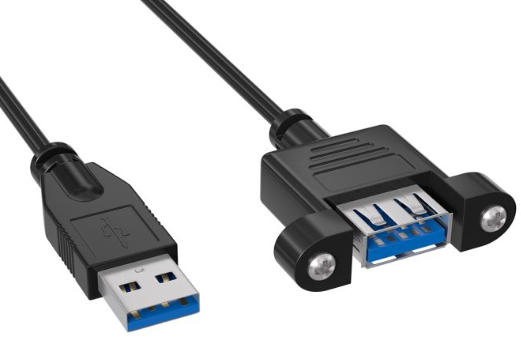
In some installations, especially those using USB 3.0 female‑to‑female couplers or wall plates, the entire channel is designed as straight‑through from host to device.
Custom Special Wiring #2 delivers a fully straight‑through A‑to‑A cable suitable for these paths.
- VBUS is connected straight through to power downstream devices or in‑line electronics.
- SuperSpeed pairs are straight through, with each TX and RX pair on one end connected to the same function on the other end.
- USB 2.0 D+, D−, and GND are also straight‑through, preserving a transparent extension of the port.
- Pin 1 VBUS is wired directly to Pin 1 VBUS at the opposite plug through the power conductor.
- Pins 2 and 3 (D− and D+) are wired through UTP_D− and UTP_D+ to the same pins at the far end.
- SuperSpeed RX pins on Plug #1 are connected to RX pins on Plug #2, and TX pins to TX pins, without crossover.
- GND, drain wires, braid, and metallic shields are continuous across the cable assembly.
- Host‑to‑device connections via straight‑through adapters, such as panel‑mount couplers and wall plates that do not alter TX and RX mapping.
- Installations where all passive interconnect segments are expected to behave like an extended straight cable between host and device.
- Keep the total channel length within recommended limits for USB 3.0 to maintain signal integrity.
- Use high‑quality double‑shielded cables with controlled impedance and proper twisted pair construction when chaining through plates and couplers.
Selecting the correct USB 3.0 A‑to‑A wiring type starts with understanding your system topology and power strategy.
The following decision logic provides a practical guide for designers and technical buyers.
1. Are both endpoints USB hosts?
- If yes, use Standard USB 3.0 A‑to‑A (VBUS not connected, crossed pairs) for safe host‑to‑host debugging.
- If no, move to the next question.
2. Does your application require bus power from the host?
- If yes, use Custom Special Wiring #1 or #2, both with VBUS connected.
- If no, you may still choose Standard wiring if your adapters and devices are self‑powered and expect crossover.
3. Does your adapter or coupler internally cross SuperSpeed pairs?
- If yes, use straight‑through cable wiring (Custom Special Wiring #2) so the total link ends up properly mapped.
- If no, use crossed cable wiring (Custom Special Wiring #1) if the device side expects crossover.
4. Are you passing through wall plates, patch panels, or extension assemblies?
- Prefer wiring that maintains a consistent mapping from host controller TX and RX to device RX and TX across every interconnect segment.
By answering these questions clearly, you can confidently identify the wiring option that matches your specific application scenario.
For 5 Gbps SuperSpeed operation, mechanical compatibility alone is not enough; electrical design quality is critical.
Engineers should pay special attention to the following aspects when specifying or evaluating a cable.
- Shielded differential pairs (SDPs) should have correct impedance and minimal skew to avoid signal degradation.
- Grounding of shields and drain wires at both ends of the cable assembly helps improve EMI containment at the equipment level.
- Local twisted pair shields may be grounded at one end or both ends depending on system requirements, balancing crosstalk control and ground loop risks.
- The cable structure should support consistent impedance along the entire path, including connectors, couplers, and wall plates.
Well‑designed USB 3.0 A‑to‑A cables combine proper shielding, controlled impedance, and precise wiring to ensure stable link training and low error rates in high‑speed environments.
When specifying or purchasing USB 3.0 A‑to‑A cables, use a concise checklist to avoid mismatch and performance issues.
- Confirm wiring option (Standard, Custom #1, Custom #2) against your host, adapter, and device combination.
- Verify VBUS requirements (connected versus not connected) and ensure no two hosts will power each other.
- Check SuperSpeed mapping (crossed or straight‑through) relative to any couplers, extenders, or adapters in the path.
- Specify SuperSpeed‑rated construction, including shielded differential pairs, low skew, and appropriate cable AWG for the required length.
- Require double shielding, such as foil plus braid, and compliant materials for EMI and regulatory requirements.
- Request sample testing, including eye diagrams and error‑rate tests, for mission‑critical applications such as industrial, medical, or machine vision systems.
This checklist helps engineers, purchasing teams, and project managers align technical requirements with the actual performance of the supplied cable assemblies.
If your application relies on stable SuperSpeed communication, accurate wiring, and safe power behavior, choosing the right USB 3.0 Type‑A to Type‑A cable is a critical design decision.
As a dedicated manufacturer of USB, VGA, HDMI, DVI, SATA cables and accessories, OTECHKABEL can help you define, prototype, and mass‑produce custom USB 3.0 A‑to‑A cables with the exact wiring option, shielding structure, and performance level your system needs.
Contact our engineering team today to discuss your host‑to‑host or host‑to‑device requirements, review pinouts and drawings, and receive an optimized OEM or ODM
Contact us to get more information!
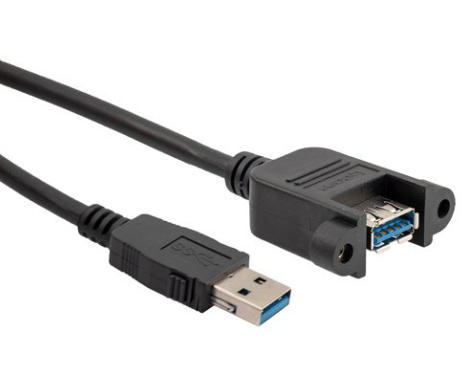
Different cables use different wiring for VBUS and SuperSpeed pairs, so using the wrong type can prevent link training or even risk back‑powering between hosts.
Host‑to‑host, host‑to‑device via adapters, and host‑to‑device via couplers each require specific wiring behavior, and a mismatched cable can cause unstable or unsafe operation.
Direct host‑to‑host connections require special drivers and firmware on both computers, and typical consumer use is not recommended.
Without proper control, a PC‑to‑PC A‑to‑A connection can stress or damage USB ports, so it should only be used with dedicated, validated host‑to‑host communication solutions.
The most reliable ways are checking the cable's technical documentation or measuring continuity on Pin 1 with appropriate test tools.
External appearance, jacket color, and even labeling are not sufficient to guarantee whether VBUS is present or absent inside a USB 3.0 A‑to‑A cable.
Some host‑to‑host and adapter‑based topologies require crossing TX and RX to align with the internal mapping of connected equipment.
Straight‑through mapping is more suitable for couplers and wall plates that simply extend the port, while crossed mapping works where internal circuitry expects a specific orientation of transmit and receive lines.
In general, the aggregate path length, including cables, wall plates, and couplers, should remain within the effective range suggested for USB 3.0.
Shorter, higher‑quality cables with proper shielding and controlled impedance provide better margin for maintaining stable 5 Gbps performance in demanding environments.
1. https://www.newnex.com/technology-articles-usb-3-a-to-a-cable-wiring-option.php
2. https://www.digikey.com/en/blog/usb-3-0-type-a-to-type-a-cable-wiring-options
3. https://www.usb.org/sites/default/files/CabConn_3_0_Compliance_Document_20101020.pdf
4. https://www.aggsoft.com/usb-pinout-cable/usb3.htm
5. https://www.cableleader.com/usb/usb-3-0-cables/type-a-to-type-a.html
6. https://www.newnex.com/usb-3-cables.php


