


Views: 219 Author: Otechkabel Publish Time: 2026-09-19 Origin: Site


Content Menu
>> Why Charging Performance Varies
● USB Cable vs. Charging Cable: Main Differences
● Can a Charging Cable Transfer Data?
>> How to Identify a Data-Capable Cable
● USB-C Is Not Always a Full-Function Cable
>> USB-C Cable Capability Examples
● How Cable Construction Affects Performance
>> Power Conductors and Wire Gauge
>> Data Conductors and Shielding
>> Connectors and Strain Relief
● Choosing the Right Cable for Each Application
>> Choose a USB Cable When You Need Data
>> Choose a Charging Cable When Power Is the Priority
>> A Practical Cable Selection Process
● A Better Way to Specify OEM Cables
● Custom USB and Charging Cable Manufacturing
● FAQ
>> What is the difference between a USB cable and a charging cable?
>> Can all USB cables charge a phone?
>> Can a charging cable transfer files?
>> Does every USB-C cable support fast charging?
>> Does every USB-C cable support laptop charging?
>> Why does a USB-C cable charge my device but not connect to a monitor?
>> Are braided charging cables better than standard cables?
>> What should I provide when requesting a custom USB cable?
A USB cable is a connection cable that can carry power, data, video, or several of these functions at once. A charging cable is designed primarily to deliver power from a charger or power source to a device.
The two terms are often used as if they mean the same thing. In daily conversation, that is understandable. However, for product buyers, private-label brands, wholesalers, and equipment manufacturers, the difference matters. A cable that charges a phone may not transfer files quickly. A USB-C cable that looks premium may not support laptop charging, external displays, or high-speed storage devices.
For reliable product selection, focus on what the cable is designed to do: how much power it can carry, whether it supports data, how fast it transfers data, whether it works with displays, and how well it performs after repeated use.
A USB cable is a cable built around the Universal Serial Bus connection system. It connects electronic devices and may support one or more functions, including charging, data transfer, peripheral connections, and display output.
USB cables are commonly used with:
- Smartphones and tablets
- Laptops and desktop computers
- Power banks and wall chargers
- External hard drives and SSDs
- Printers and scanners
- Cameras and audio devices
- Hubs and docking stations
- Keyboards, mice, and other peripherals
- USB-C monitors and display adapters
A USB cable is not defined by only one function. Its actual capability depends on its connector type, internal conductor layout, shielding, cable length, electronic components, and supported technical standard.
For example, a USB-C to USB-C cable may charge a smartphone, sync data with a laptop, and connect compatible accessories. Another USB-C cable with a similar appearance may only be suitable for basic charging and low-speed data transfer.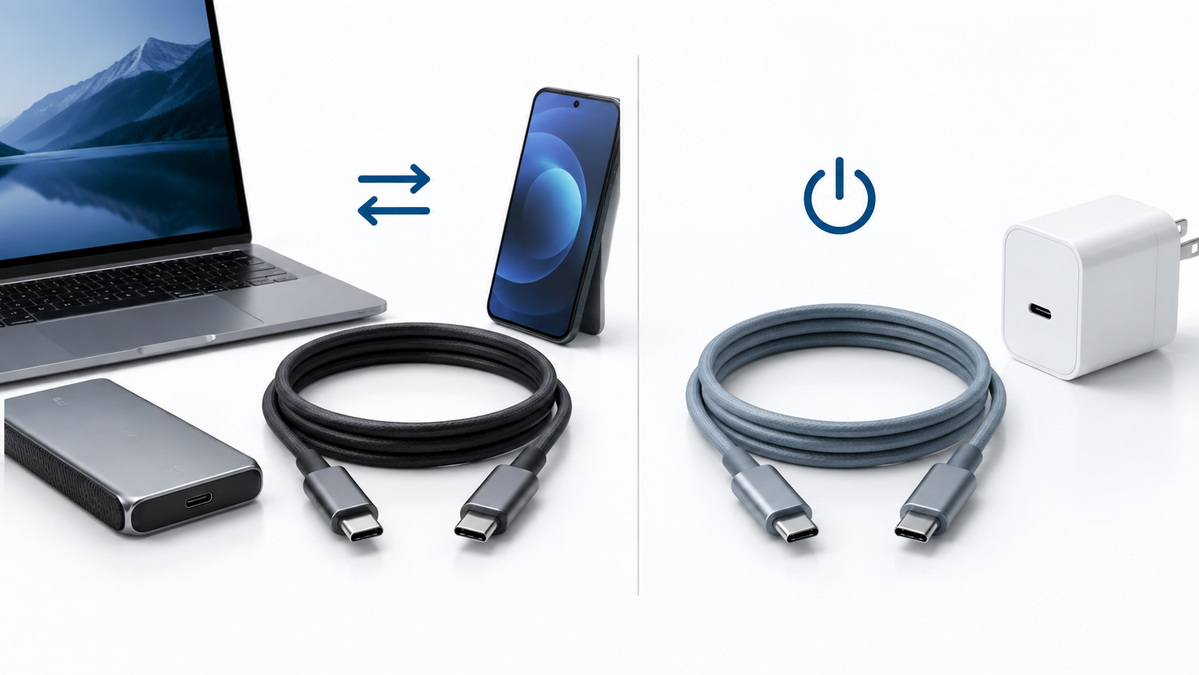
USB cables are available in several connector combinations. The right configuration depends on the device port and the intended use.
| Cable Type | Common Use | Typical Functions |
|---|---|---|
| USB-A to USB-C | Charging phones, tablets, and accessories from traditional USB ports | Charging and basic data transfer |
| USB-C to USB-C | Modern phones, tablets, laptops, chargers, and power banks | Charging, data transfer, and selected advanced functions |
| USB-A to Micro-USB | Older Android devices, Bluetooth speakers, power banks, and accessories | Charging and basic data transfer |
| USB-A to Lightning | Apple accessories and older iPhone ecosystems | Charging and data synchronization |
| USB-B Cable | Printers, scanners, and selected industrial equipment | Data connection and power in certain applications |
| USB-C to USB-C High-Speed Cable | External SSDs, docks, displays, and professional equipment | High-speed data, charging, and supported video functions |
The connector style is important, but it does not reveal every performance detail. A USB-C connector does not automatically mean fast data transfer, high-power charging, or monitor support.
A charging cable is designed mainly to transfer electrical power from a charger, power bank, car charger, computer port, or charging station to an electronic device.
Charging cables can use USB connectors, proprietary connectors, or a combination of both. Many modern charging cables use USB-A, USB-C, Micro-USB, or Lightning connectors. Because USB is widely used for power delivery, many USB cables are also charging cables.
However, not every charging cable offers the same level of performance.
A charging cable may be designed for:
- Basic phone charging
- Tablet charging
- Power bank charging
- Wireless charging pads
- In-car charging
- Fast charging
- Laptop charging
- Higher-power USB-C charging
- Charge-only applications without file transfer
The primary goal of a charging cable is stable and safe power delivery. Its quality depends heavily on internal copper conductors, wire gauge, resistance, connector design, strain relief, and manufacturing consistency.
A cable may look almost identical to another cable while delivering different charging results. This happens because charging performance is determined by the entire power path.
The key components are:
1. The charger must provide sufficient output power.
2. The device must accept the charging protocol and power level.
3. The cable must support the required current and voltage.
4. The connector must make a stable electrical connection.
5. The cable length must not create excessive voltage drop.
A high-watt charger does not automatically make every cable a high-power charging cable. If the cable is not designed for the required current or power level, charging may be slower than expected or unstable under load.
For this reason, buyers should avoid using broad product claims such as "super fast cable" without confirming the actual supported power level.
The difference between a USB cable and a charging cable is easier to understand when the main functions are compared directly.
| Feature | USB Cable | Charging Cable |
|---|---|---|
| Main purpose | Connects devices for power, data, video, or peripheral use | Delivers electrical power to charge a device |
| Charging ability | Often supports charging | Designed primarily for charging |
| Data transfer | May support data transfer at different speeds | May support data, limited data, or no data |
| Video output | Possible in compatible cable and device systems | Usually not the main purpose |
| Typical applications | Computers, external storage, printers, docks, displays, phones | Phones, tablets, power banks, vehicle chargers, laptops |
| Internal design focus | Data lines, shielding, signal stability, power conductors | Power conductors, current capacity, resistance, connector reliability |
| Product-selection question | What data, display, and power functions are required? | What charging power and device compatibility are required? |
| Common risk | Slow transfer speed or failed display connection | Slow charging or insufficient power for the device |
| Typical product claim | Data cable, sync cable, USB-C cable, high-speed cable | Charging cable, fast charging cable, power cable |
The simplest way to remember the difference is:
> A USB cable can perform several connection functions. A charging cable is selected first for its ability to supply power.
A cable can belong to both categories. For example, a USB-C to USB-C cable may support phone charging, laptop charging, file transfer, and compatible docking functions. At the same time, a basic charge-only cable may be designed only to deliver power and may not support data transfer.
Some charging cables can transfer data, but not all of them can.
A cable that supports both charging and data transfer usually includes power conductors and data conductors. These cables can connect smartphones, tablets, cameras, and other devices to computers for file synchronization or accessory use.
A charge-only cable may omit data conductors or provide limited data functionality. It can still charge a device, but it may not allow the device to communicate with a computer.
This difference is especially important for products used in public charging stations, travel kits, industrial environments, or secure workplaces. In some cases, a charge-only cable may be intentionally selected to reduce the risk of unwanted data access through a public USB connection.
Before purchasing or specifying a cable, check whether the supplier clearly states:
- The supported USB data standard
- The maximum transfer speed
- Whether the cable is charge-only
- Whether the cable supports phone synchronization
- Whether the cable supports external storage devices
- Whether the cable supports docking stations
- Whether the cable supports video output
A vague claim such as "USB-C cable" does not provide enough information for demanding applications.
For example, a cable used to charge a mobile phone may work perfectly for power delivery but fail to connect an external SSD at the expected speed. The cable is not necessarily defective. It may simply have been designed for a different purpose.
USB-C is now widely used in phones, tablets, laptops, gaming devices, chargers, docks, monitors, and industrial equipment. Its reversible connector design makes it convenient for users, but it has also created confusion in the cable market.
Not all USB-C cables offer the same functions.
A USB-C cable may differ in:
- Maximum charging wattage
- Current capacity
- Data transfer speed
- Display support
- Docking compatibility
- External storage performance
- Cable length
- Shielding design
- Electronic marking capability
- Active or passive cable construction
A basic USB-C cable may work well for charging a smartphone and transferring small files. A more advanced cable may be required for laptop charging, high-speed external storage, USB-C hubs, monitors, professional cameras, or workstation docking.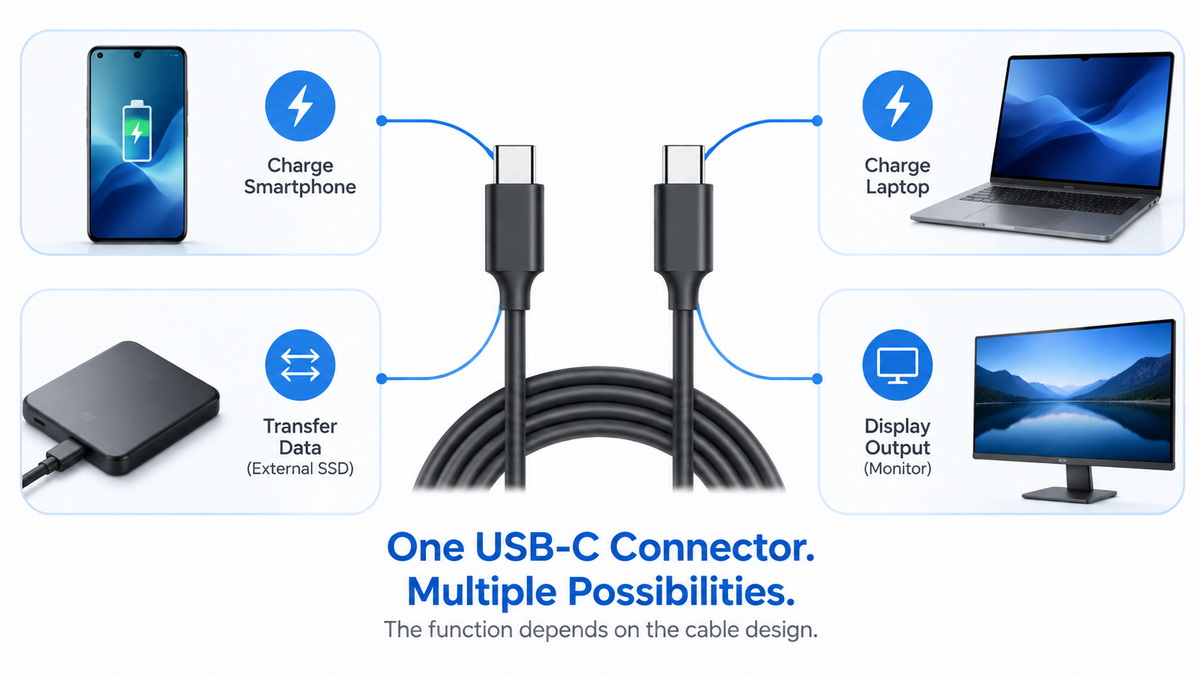
| USB-C Cable Category | Typical Charging Use | Typical Data Use | Typical Application |
|---|---|---|---|
| Basic USB-C charging cable | Phones and small accessories | May support basic data | Daily charging, retail bundles |
| USB-C charge and sync cable | Phones, tablets, and power banks | Standard file transfer | Consumer electronics accessories |
| Higher-power USB-C cable | Tablets, laptops, portable monitors | May vary by design | Laptop charging and power bank products |
| High-speed USB-C cable | Phones, laptops, storage devices | High-speed data transfer | External SSDs, creative workstations |
| Full-function USB-C cable | Laptops, docks, displays, high-power devices | Data and supported display functions | Docking, display, professional use |
For private-label product development, product names should communicate actual performance rather than only connector type.
Clear examples include:
- USB-C to USB-C 60W Charging and Data Cable
- USB-C to USB-C 100W Fast Charging Cable
- USB-C to USB-C 240W High-Power Charging Cable
- USB-C Charge and Sync Cable
- USB-C High-Speed Data Cable
- USB-C Cable for Laptop Charging and External Storage
- USB-C Full-Function Cable for Docking and Display Use
Clear product naming helps customers choose the correct cable. It also reduces confusion, customer service inquiries, product returns, and negative reviews.
A cable's outer appearance does not always reveal its internal quality. A nylon-braided cable, silicone cable, PVC cable, or TPE cable may all look attractive, but performance depends on the materials and construction inside the cable.
For cable buyers, the most important question is not only "What does the cable look like?" but also "What is the cable designed to handle?"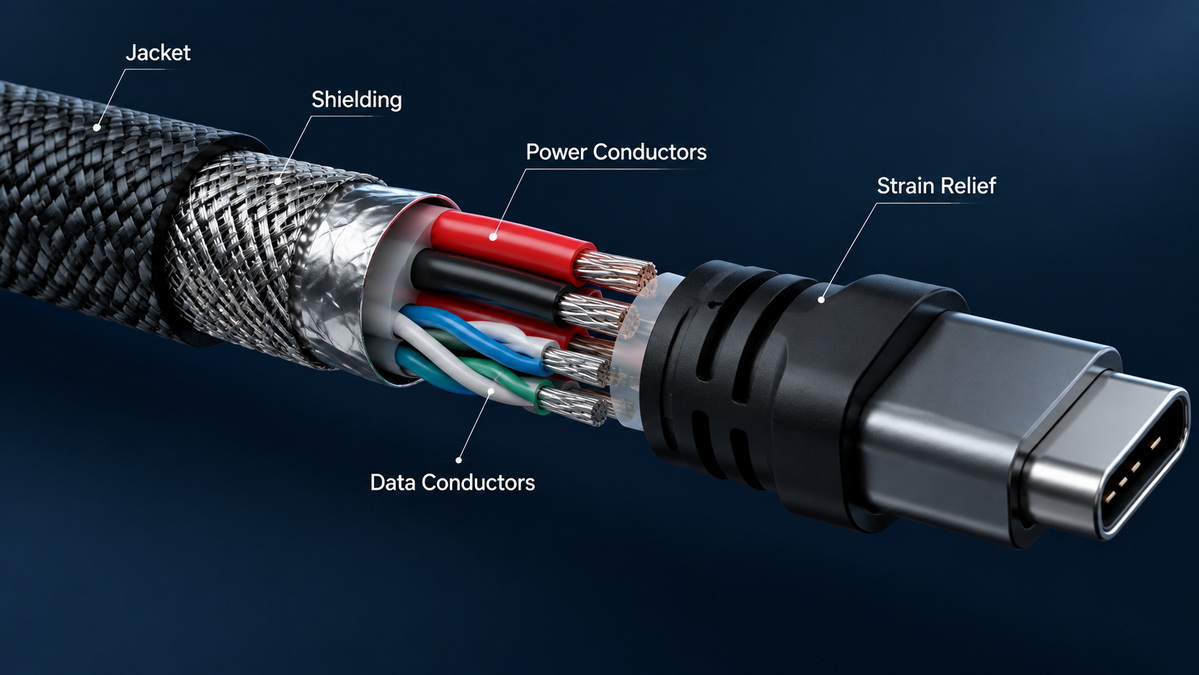
Charging cables use copper conductors to carry electrical power. The size of those conductors affects resistance and charging performance.
A cable with larger power conductors can generally carry more current with lower resistance than a cable with smaller conductors. This becomes especially important for longer cables and higher-power charging applications.
Longer cable lengths can create more voltage drop. If a cable is too long or has insufficient conductor size for the intended application, the device may receive less usable power than expected.
This is why a long USB-C cable for laptop charging must be designed differently from a short cable used for basic phone charging.
Data-capable USB cables need more than power conductors. They require internal data lines that can transfer signals between connected devices.
For high-speed applications, cable construction may require:
- Controlled conductor arrangement
- Better shielding
- Improved insulation materials
- Stronger signal stability
- More accurate connector assembly
- Tighter production consistency
A cable may charge a phone without difficulty while performing poorly with high-speed storage, display output, or docking equipment. In these cases, the limitation is usually related to cable design rather than visible product appearance.
The connector is one of the most frequently stressed parts of a cable. Repeated bending, pulling, twisting, and plugging can affect performance over time.
A well-designed cable should include:
- Stable contact materials
- Secure connector molding
- Reinforced strain relief
- Appropriate cable-to-connector transition
- Consistent soldering or assembly quality
- Suitable housing material for the target environment
For retail cables, durability affects customer satisfaction. For industrial cables, it can affect equipment uptime and maintenance costs.
Different cable jackets suit different product requirements.
| Jacket Material | Main Characteristics | Common Use |
|---|---|---|
| PVC | Cost-effective, widely used, easy to process | Standard charging and data cables |
| TPE | Flexible, soft-touch feel, suitable for consumer products | Premium charging cables and accessories |
| Silicone | Very soft, flexible, resistant to tangling | High-end charging cables and travel products |
| Nylon Braided | Improved exterior abrasion resistance and premium appearance | Retail cables, lifestyle accessories, gift packaging |
| TPU | Durable and flexible with good wear resistance | Premium accessories and demanding applications |
No jacket material is automatically best for every project. The right choice depends on the brand position, target price, usage environment, durability requirement, and product design.
The right cable should be selected based on the end-use environment. A cable for a mobile-phone retail package has different requirements from a cable for an external SSD, a laptop dock, an industrial machine, or a vehicle charging accessory.
A data-capable USB cable is suitable when users need to:
- Transfer photos, videos, and documents
- Synchronize a phone or tablet with a computer
- Connect a printer or scanner
- Use a keyboard, mouse, or peripheral
- Connect an external hard drive or SSD
- Use a USB-C hub or docking station
- Connect a compatible monitor or display adapter
- Charge and transfer data with one cable
For these products, clearly state the data capability. If speed matters, specify the intended data performance rather than using generic descriptions.
A charging-focused cable is suitable when the main requirement is stable power delivery for:
- Smartphones
- Tablets
- Power banks
- Wireless charging pads
- Portable speakers
- Vehicle chargers
- Portable gaming devices
- Laptops and notebook computers
- USB-powered consumer electronics
For charging products, prioritize the required wattage, cable length, conductor design, flexibility, connector durability, and compatibility with the intended charger and device.
Before choosing a cable or starting an OEM project, answer these questions:
1. What devices will use the cable?
Define whether the product is for phones, tablets, laptops, displays, storage devices, industrial equipment, or another application.
2. Which connectors are required?
Confirm the connector configuration, such as USB-A to USB-C, USB-C to USB-C, USB-A to Micro-USB, or another format.
3. How much charging power is needed?
Identify the expected charging wattage and the device category.
4. Does the cable need to transfer data?
Decide whether the cable is charge-only, supports basic data synchronization, or requires higher-speed performance.
5. Will users connect displays or docking stations?
If yes, confirm that the cable is designed for the required function.
6. What cable length is appropriate?
Choose a practical length without creating unnecessary resistance or performance risk.
7. What durability level is needed?
Consider bending frequency, pulling force, travel use, office use, vehicle use, or industrial installation.
8. What appearance does the brand need?
Select cable color, jacket material, connector housing, logo placement, and packaging style.
9. Which markets will the product serve?
Consider local product expectations, labeling requirements, language needs, and packaging preferences.
10. What quality checks are required before mass production?
Confirm sample approval, functional testing, appearance inspection, packaging inspection, and agreed quality standards.
For OEM buyers, generic requests often create unnecessary sourcing risk.
A request such as "We need a USB-C cable" leaves too many technical details unanswered. It does not explain whether the product is for basic phone charging, laptop charging, data transfer, portable storage, or display connectivity.
A more useful product brief could be:
> USB-C to USB-C cable for laptop charging, 1.5 meters, black nylon-braided jacket, custom logo on connector shell, designed for 100W charging, includes data synchronization, retail packaging for the European market.
This kind of brief gives the manufacturer a clearer basis for material selection, cable construction, sample development, pricing, quality inspection, and packaging preparation.
For a cable manufacturer, the most useful details include:
- Connector combination
- Required charging wattage
- Data requirement
- Cable length
- Target device category
- Jacket material
- Color and branding requirements
- Packaging format
- Target market
- Expected order quantity
- Quality and testing expectations
A clear product specification improves communication between the brand and the manufacturer. It also helps create more accurate product descriptions for distributors, retail buyers, and end customers.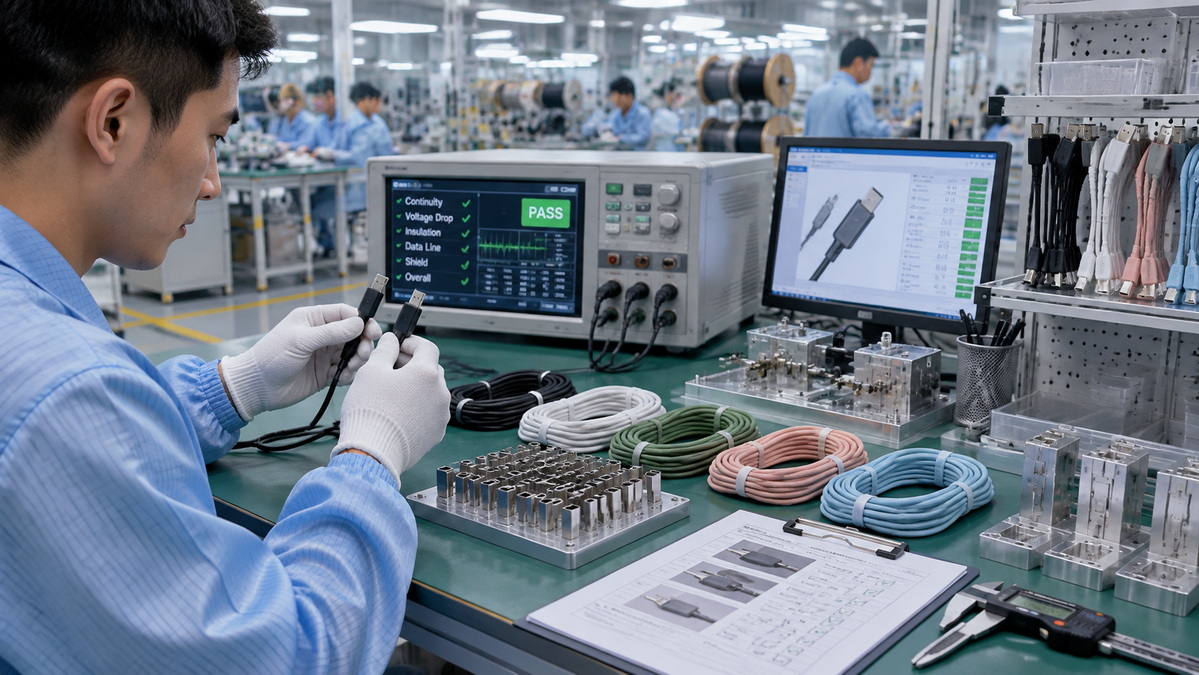
USB-C has become increasingly important because consumers and businesses want fewer cable types and more device compatibility. One connector is now used across many categories, including phones, tablets, laptops, chargers, power banks, monitors, docks, gaming devices, and accessories.
However, the growing popularity of USB-C also makes accurate product communication more important.
Buyers increasingly want to know:
- Can this cable charge my laptop?
- Does this cable support fast charging?
- Can I transfer files with this cable?
- Will it work with an external SSD?
- Can it connect to a monitor?
- Is it suitable for a docking station?
- Does the cable support my charger's power level?
- Is the cable durable enough for daily travel or office use?
Brands that provide clear answers to these questions can build stronger trust with their customers. Clear specifications help buyers understand what they are purchasing before they receive the product.
For wholesalers and distributors, accurate product categorization also helps reduce stock confusion. Instead of grouping all products under "USB-C cables," separate them by practical function:
- Basic charging cables
- Charge and sync cables
- High-power laptop charging cables
- High-speed data cables
- Full-function USB-C cables
- Braided consumer cables
- Silicone soft-touch cables
- Industrial USB cable assemblies
- Custom OEM cable solutions
The difference between a USB cable and a charging cable is mainly about function and intended use.
A USB cable can carry power, data, video, or peripheral signals depending on its design. A charging cable is mainly selected for safe and stable power delivery. Many products can perform both roles, but the actual capability of each cable depends on its internal construction and stated performance specifications.
When comparing USB cables and charging cables, always check:
- Connector type
- Charging wattage
- Data-transfer capability
- Data-transfer speed
- Cable length
- Display or docking requirements
- Jacket material
- Connector durability
- Intended device type
- Quality-control requirements
The best cable is not simply the one with the newest connector or the most attractive exterior. It is the cable that matches the required application, delivers stable performance, and communicates its capability clearly to the buyer.
For brands, wholesalers, and equipment manufacturers, defining cable requirements early helps create a better product, a more accurate product listing, and a more reliable customer experience.
Shenzhen Otechkabel Electronic Co., Ltd. produces USB cables, charging cables, cable assemblies, and cable accessories for overseas brands, wholesalers, and manufacturers.
For OEM cable projects, product development can be aligned with your practical requirements, including connector configuration, cable length, charging capability, data function, jacket material, color, logo customization, connector molding, private-label packaging, and quality inspection needs.
A well-defined cable specification is the foundation of a more reliable product. Whether the goal is a basic charging cable, a data-capable USB cable, a high-power USB-C cable, or a customized cable assembly, the right technical details should be confirmed before mass production.
A USB cable may carry power, data, video, or peripheral signals. A charging cable is primarily designed to deliver electrical power to charge a device. Some cables perform both functions.
Many USB cables can charge compatible devices, but charging speed and power capability vary. The charger, phone, cable construction, and supported charging system all affect the final charging result.
Some charging cables can transfer files, but others are charge-only. Check whether the product is described as a charge and sync cable or whether it lists a supported data-transfer capability.
No. USB-C is a connector format, not a guarantee of fast charging. The cable must support the required power level, and the charger and device must also be compatible.
No. Some USB-C cables are intended for phones and small accessories. Laptop charging may require a cable designed for higher power delivery and the correct charging capability.
A monitor connection may require advanced signal support, compatible ports, and a cable designed for video or full-function connectivity. A basic charging cable may not include the necessary internal design.
Braided cables can provide a premium appearance and improved resistance to surface abrasion. However, total durability depends on internal conductors, connector quality, strain relief, bend resistance, and manufacturing quality.
Provide the connector type, cable length, target power level, data requirement, intended application, jacket material, color, logo requirements, packaging needs, target market, and expected quality standards.
1. USB Implementers Forum. "Cables and Connectors."
[https://www.usb.org/cable_connector]
2. USB Implementers Forum. "USB Type-C."
3. Texas Instruments. "An Engineer's Guide to USB Type-C."
[https://www.ti.com/lit/eb/slyy228/slyy228.pdf]
4. European Commission. "EU Common Charger Rules: Power All Your Devices with a Single Charger."
5. FY Cables. "USB vs. Charging Cable: What's the Difference?"
[https://fycables.com/usb-vs-charging-cable-whats-the-difference/]


