


Views: 218 Author: Otechkabel Publish Time: 2026-08-23 Origin: Site


Content Menu
● Why HDMI Cables Matter for Gaming
● Understanding the Complete Gaming Signal Chain
● Best HDMI Cable for PS5 Gaming
● Best HDMI Cable for Xbox Series X|S
● Best HDMI Cable for Gaming PCs
>> HDMI vs. DisplayPort for PC Gaming
● Best HDMI Cable for Gaming Monitors and TVs
● How to Verify an HDMI Cable for Gaming
>> Check the Cable Label and Package Information
>> Review the Technical Specification
● HDMI Cable Length and Build Quality
>> Recommended Cable Length Strategy
● Troubleshooting 4K 120Hz, HDR, and VRR Issues
● OEM HDMI Cable Manufacturing for Gaming Brands
● FAQ
>> 1. Do I need an Ultra High Speed HDMI Cable for PS5?
>> 2. Is a 48Gbps HDMI cable better for every gaming setup?
>> 3. Can an HDMI cable reduce gaming input lag?
>> 4. Why is my PS5 or Xbox limited to 60Hz?
>> 5. Are all "8K HDMI cables" the same?
>> 6. Does HDMI cable length affect gaming performance?
>> 7. Can I use an HDMI splitter for 4K at 120Hz gaming?
Choosing the best HDMI cable for gaming is not about purchasing the most expensive model. It is about matching the cable to your console, graphics card, monitor, TV, desired resolution, refresh rate, and installation distance.
For PS5, Xbox Series X|S, and gaming PCs that support 4K at 120Hz, HDR, VRR, or ALLM, an Ultra High Speed HDMI Cable rated for up to 48Gbps is typically the right starting point. A reliable cable helps your display receive the signal that your equipment is designed to deliver.
A gaming HDMI cable cannot make a console or graphics card generate more frames. However, an unsuitable or unstable cable can prevent a system from reaching its intended resolution and refresh rate. It can also contribute to black screens, flickering, signal loss, or missing display features.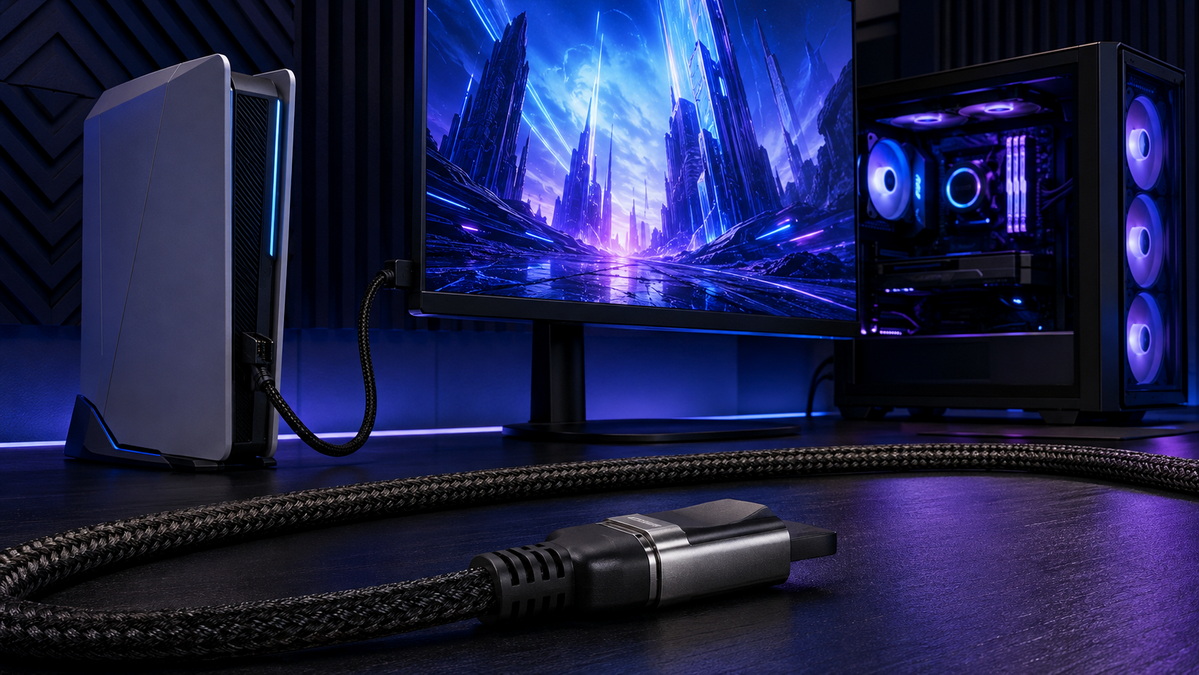
Modern gaming systems can output much more data than earlier consoles and PCs. A cable must carry that data consistently between the source device and the display.
When a cable or the complete connection chain cannot support the selected video signal, users may experience:
- A system switching from 4K at 120Hz to 4K at 60Hz
- Random black screens during gameplay
- Flickering, visual sparkles, or intermittent dropouts
- HDR, VRR, or low-latency modes not appearing in settings
- Audio return problems in home-theater systems
- A display failing to recognize a connected console or PC
The cable is only one part of the setup. A gaming system performs properly when every component supports the requested format.
Before replacing an HDMI cable, check the entire connection chain. A powerful console or gaming PC cannot deliver a high-bandwidth signal if one component is limited.
1. Source device: PS5, Xbox Series X|S, gaming PC, dock, or media system
2. Source HDMI output: The device must support the selected resolution and refresh rate
3. HDMI cable: The cable must transmit the selected signal reliably
4. Display HDMI input: The chosen HDMI port must support the required bandwidth
5. Display settings: Features such as Game Mode, Enhanced HDMI, VRR, and Deep Color may need to be enabled
6. Intermediate equipment: Splitters, switches, AV receivers, and capture devices must also support the target format
A common issue is assuming every HDMI port on a 120Hz TV supports 4K at 120Hz. In many displays, only one or two ports support the highest-bandwidth input mode.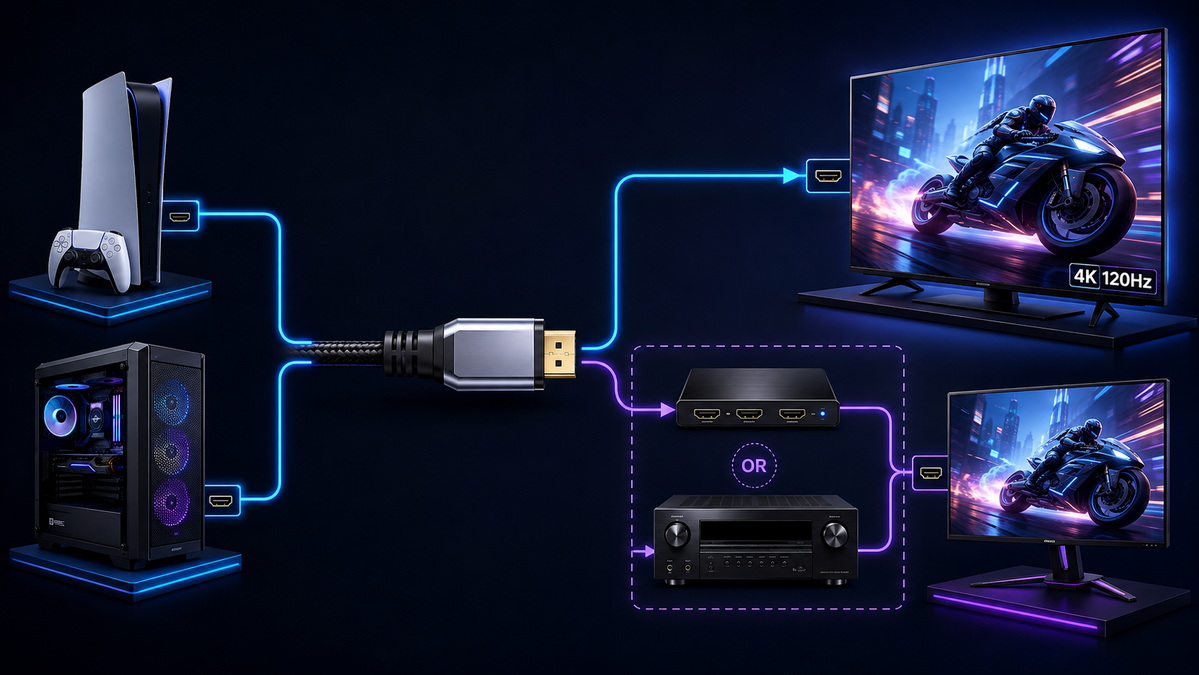
HDMI cable capability is commonly described by category and maximum bandwidth. Understanding these differences makes product selection easier.
| Gaming Requirement | Recommended Cable Type | Bandwidth Class | Typical Uses |
|---|---|---|---|
| 1080p gaming and basic console setups | High Speed HDMI Cable | Up to 18Gbps | 1080p/120Hz and many standard 4K setups |
| 4K gaming at 60Hz | Premium High Speed HDMI Cable | 18Gbps | 4K/60Hz, HDR, media streaming |
| PS5, Xbox Series X, high-end gaming PCs | Ultra High Speed HDMI Cable | Up to 48Gbps | 4K/120Hz, 8K/60Hz, VRR, ALLM, eARC |
| Long-distance display connections | Active or optical HDMI cable | Application-dependent | Gaming rooms, AV racks, commercial displays |
An Ultra High Speed HDMI Cable is designed for high-bandwidth environments where high resolution, high refresh rate, and advanced display functions are required.
The term 48Gbps refers to the maximum bandwidth class associated with Ultra High Speed HDMI Cable applications. This level of capability is important when the system needs to transmit high-resolution video at high refresh rates.
Typical uses include:
- 4K at 120Hz gaming
- 8K at 60Hz video output
- High-refresh-rate HDR gaming
- VRR-compatible setups
- ALLM-capable displays
- Advanced home-theater configurations using eARC
However, a 48Gbps cable does not automatically mean every game will run at 4K and 120Hz. Actual performance depends on the game, console, PC graphics card, display, selected settings, and available HDMI ports.
For PS5 gaming, the supplied cable is suitable for standard use and high-performance setups when paired with a compatible display. When purchasing a replacement cable, choose an Ultra High Speed HDMI Cable if you want to use 4K at 120Hz, VRR, HDR, or automatic low-latency features.
A suitable PS5 HDMI cable should support:
- 4K at 120Hz in compatible games
- HDR gaming on compatible displays
- VRR where available
- Direct connection to a 4K/120Hz TV or monitor
- Stable signal transmission during long gaming sessions
For desktop and TV-console setups, use the shortest practical cable length. A 1.5m or 2m cable is usually easier to route, manage, and test than an unnecessarily long cable.
Before concluding that a cable is the problem, confirm the following:
- The display supports 4K at 120Hz through HDMI
- The selected display port supports the highest-bandwidth mode
- Enhanced HDMI mode or an equivalent setting is enabled
- Game Mode is switched on where appropriate
- The console output settings allow 120Hz and HDR
- System and display firmware are updated
- Any connected switch, splitter, or receiver supports the desired format
Xbox Series X|S users should select an Ultra High Speed HDMI Cable when their display supports high-bandwidth gaming features. This is especially important for users targeting 4K at 120Hz, HDR gaming, and VRR-compatible setups.
The cable must work with the complete system. A 4K/120Hz console connected to a 4K/60Hz receiver, switch, or display port may still be limited to 60Hz.
For product packaging and online listings, useful specifications include:
- Supported resolution and refresh-rate examples
- Maximum bandwidth claim
- Cable length
- Connector type
- Compatibility guidance for consoles, PCs, monitors, and TVs
- Labeling and verification information where applicable
Avoid phrases such as "zero lag guaranteed." Cable reliability matters, but input latency is mainly influenced by the display, Game Mode, controller connection, game engine, and system processing.
Gaming PCs may connect to monitors, televisions, capture devices, AV receivers, docks, or secondary displays. Before selecting a cable, check both the graphics card's HDMI output and the display's HDMI input specifications.
An Ultra High Speed HDMI Cable is a strong choice for gaming PC setups that require:
- 4K at 120Hz or higher through HDMI
- High-refresh-rate HDR output
- VRR support through compatible devices
- Connection to a gaming TV
- Advanced video transmission through a compatible receiver or switch
For 1440p at 120Hz or 4K at 60Hz, an 18Gbps cable may be sufficient depending on HDR settings, chroma format, and display configuration.
HDMI is widely used for consoles and gaming TVs, while DisplayPort is common on dedicated PC gaming monitors. Many high-refresh-rate monitors offer their highest refresh rate only through DisplayPort.
Before ordering a cable, verify:
- Maximum HDMI resolution
- Maximum HDMI refresh rate
- Whether VRR works through HDMI
- Whether HDR works through HDMI
- Which physical HDMI port supports advanced gaming features
- Whether the monitor needs a menu setting to enable enhanced input mode
This check prevents a common issue: a cable is capable of high bandwidth, but the monitor's HDMI input is limited by its hardware design.
A gaming monitor or TV should be evaluated by its HDMI input capability, not only by its panel refresh rate.
A display advertised as "120Hz" may support a 120Hz panel but accept only lower refresh rates through some HDMI inputs. Likewise, a monitor may deliver 165Hz or 240Hz through DisplayPort while limiting HDMI to 120Hz or 144Hz.
When selecting a cable for a monitor or TV, confirm:
- The HDMI version or bandwidth capability of the input
- The maximum supported resolution through HDMI
- The maximum supported refresh rate through HDMI
- VRR compatibility through HDMI
- HDR format support
- Whether Game Mode must be enabled
- Whether only a specific HDMI port supports high-bandwidth gaming
Cable marketing can be confusing. Terms such as "8K," "high speed," "premium," "braided," and "gold plated" do not independently prove that a cable can perform reliably in a demanding gaming installation.
A better approach is to review the cable category, supported bandwidth, manufacturer documentation, package labeling, and compatibility with the intended use.
For high-bandwidth gaming products, package information should clearly identify:
- Cable category
- Maximum supported bandwidth
- Supported format examples, such as 4K at 120Hz
- Cable length
- Connector configuration
- Model number
- Product batch or traceability information
- Verification label or QR code where relevant
Clear labeling helps buyers choose the right cable and reduces unnecessary support questions.
For distributors, private-label brands, and bulk buyers, a complete product specification should include:
- Cable performance category
- Maximum bandwidth claim
- Resolution and refresh-rate support
- Available lengths
- Connector shell material and design
- Conductor material
- Shielding structure
- Jacket material
- Cable diameter
- Directionality for active or optical models
- Packaging options
- Test documentation and quality-control requirements
A well-documented specification supports better purchasing decisions and clearer product communication.
Cable length becomes more important as bandwidth requirements increase. A cable that works reliably at 2m may not deliver the same stability at 10m under a 4K/120Hz signal load.
| Installation Distance | Recommended Approach |
|---|---|
| 1m to 3m | Passive high-bandwidth HDMI cable is generally the simplest option |
| 3m to 5m | Select a well-tested cable and validate it with the complete setup |
| Over 5m | Consider active or optical HDMI cable solutions designed for the distance |
| AV rack to wall-mounted TV | Plan routing, bend radius, wall installation requirements, and service access |
For most console and desktop systems, avoid excessive cable length. A shorter cable is easier to manage and reduces the number of possible installation issues.
For gaming cable brands, build quality influences signal stability, durability, cable routing, and the overall user experience.
Important design considerations include:
- Strong strain relief at the connector transition
- Connector shells that fit recessed display ports
- Secure connector retention
- Controlled cable diameter for easier routing
- Flexible jacket material
- Stable internal construction and shielding
- Clear cable-length identification
- Durable packaging for shipping and retail environments
Gold plating can support corrosion resistance in certain environments, but it does not replace proper cable engineering or performance validation.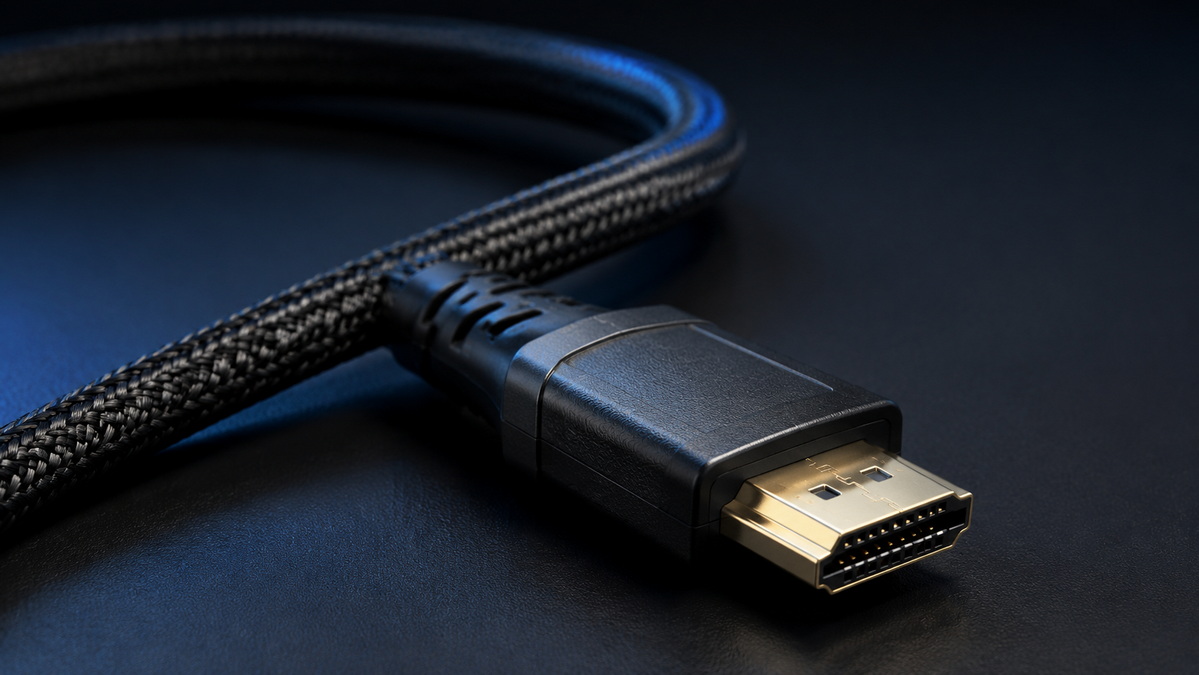
When a gaming system does not show the expected resolution, refresh rate, HDR, or VRR setting, use a structured troubleshooting process.
1. Connect the console or PC directly to the display.
2. Remove switches, splitters, receivers, and capture devices temporarily.
3. Use the display HDMI port that supports high-bandwidth gaming input.
4. Enable Enhanced HDMI, Deep Color, Game Mode, or the equivalent display setting.
5. Set the console or PC output to the preferred resolution and refresh rate.
6. Update the firmware of the console, PC graphics card, display, receiver, and accessories.
7. Test with a known-working short cable.
8. Test a shorter cable run if the existing installation is long.
9. Reconnect intermediate devices one by one to identify the limiting component.
A splitter, switch, receiver, capture device, or adapter can restrict the entire system. For example, a 4K/60Hz switch may prevent a compatible console and display from using 4K at 120Hz.
Gaming HDMI cables are not simply generic accessories. For international brands, distributors, wholesalers, system builders, and electronics manufacturers, product success depends on consistent construction, realistic performance claims, clear documentation, attractive packaging, and reliable delivery.
Shenzhen Otechkabel Electronic Co., Ltd. manufactures cable and cable accessory products, including USB, VGA, HDMI, DVI, SATA cables, adapters, hubs, splitters, and switches. For gaming HDMI cable programs, product development should begin with the intended user environment.
A structured OEM development process includes:
1. Defining the target product category: 4K/60Hz, 4K/120Hz, 8K-ready, passive, active, or optical.
2. Selecting the cable length, conductor structure, jacket, connector shell, color, and branding.
3. Aligning packaging claims with product testing and documentation.
4. Validating samples with real consoles, PCs, TVs, monitors, switches, and receivers.
5. Preparing accurate product specifications, package copy, and installation guidance.
6. Establishing quality-control standards for incoming materials, assembly, electrical performance, and final packaging.
For private-label buyers, the goal is to create a cable product that is easy to understand, dependable in real installations, and aligned with the needs of the target gaming market.
The best HDMI cable for gaming is the one that reliably matches the requirements of the complete system. For PS5, Xbox Series X|S, and gaming PCs targeting 4K at 120Hz, VRR, HDR, ALLM, or other high-bandwidth features, an Ultra High Speed HDMI Cable is usually the appropriate choice.
For lower-bandwidth applications such as 4K at 60Hz, a quality 18Gbps cable may be sufficient. Always confirm the capability of the console or PC, display input, selected HDMI port, cable length, and any switch or receiver in the connection chain.
For brands, wholesalers, and manufacturers, the strongest gaming HDMI cable products combine dependable construction, accurate technical information, tested performance, clear labeling, and user-focused packaging.
If you want to use compatible features such as 4K at 120Hz, HDR, VRR, or automatic low-latency modes, an Ultra High Speed HDMI Cable is recommended. The TV or monitor must also support the required input mode.
No. A 48Gbps cable is useful for high-bandwidth setups such as 4K at 120Hz. If your system only supports 1080p gaming or 4K at 60Hz, a high-quality 18Gbps cable may be enough.
A reliable HDMI cable helps transmit the signal correctly, but it does not normally determine input lag. Display processing, Game Mode, refresh rate, controller connection, and game settings have a greater effect.
Check whether the selected display port supports 4K at 120Hz, enable the correct display mode, confirm console settings, update firmware, and make sure all connected devices support the required format.
No. "8K" alone does not guarantee identical construction, bandwidth capability, testing, or compatibility. Review the product category, performance claim, documentation, and package information before choosing a cable.
It can. High-bandwidth signals are more demanding over longer distances. For long installations, use a cable solution designed and tested for the required distance and video format.
Yes, but only if the splitter supports the complete target signal format. A device limited to 4K at 60Hz may prevent the system from outputting 4K at 120Hz.
1. HDMI Forum. [HDMI 2.1 Specification Technology Overview]
2. HDMI Forum. [What Is the Best TV and Monitor for Gaming?]
3. Sony PlayStation Support. [How to Change PS5 Console Resolution]
4. HDMI Licensing Administrator. [Ultra High Speed HDMI Cable Certification Program]
5. HDMI Forum. [Ultra High Speed HDMI Cable Certification Program]
6. HDMI.org. [HDMI 2.2 Specification Technology Overview]


