


Views: 239 Author: Otechkabel Publish Time: 2026-09-21 Origin: Site


Content Menu
>> What an HDMI Cable Does Not Do
● HDTV vs. HDMI Cable: The Main Difference
● How HDTV and HDMI Cables Work Together
● HDMI Cable Categories Explained
>> Premium High Speed HDMI Cable
>> Ultra High Speed HDMI Cable
● Why "HDMI Version" Can Be Confusing
● How to Choose the Right HDMI Cable for Your HDTV
>> Step 1: Identify the Display Capability
>> Step 2: Identify the Source Device
>> Step 3: Match the Cable to the Application
>> Step 4: Consider Cable Length
● Important HDMI Features for Modern Systems
>> ALLM for Lower-Latency Gaming
>> Dynamic HDR for Scene-by-Scene Optimization
● Common HDTV and HDMI Cable Problems
>> No Picture or "No Signal" Message
>> Flickering, Sparkles, Black Screens, or Audio Dropouts
>> 4K, HDR, or 120 Hz Is Missing
>> ARC or eARC Audio Is Not Working
● HDMI Cable Selection for OEM and Private-Label Brands
>> Is an HDTV the same as an HDMI cable?
>> Do all HDTVs use HDMI cables?
>> Can an HDMI cable improve picture quality?
>> Do I need an Ultra High Speed HDMI cable for a 4K TV?
>> Why does my 4K TV only show 1080p?
>> Can a cheap HDMI cable cause flickering?
>> Does cable length affect HDMI performance?
>> What is the difference between ARC and eARC?
HDTV and HDMI cable are not the same thing. An HDTV is a television or display device that shows high-definition video, while an HDMI cable is the connection used to carry digital video, audio, and supported device-control signals between compatible equipment.
For consumers, installers, and electronics buyers, the more useful question is not whether to choose an HDTV or an HDMI cable. The real question is whether the entire system—including the source device, display, cable, ports, settings, and any receiver or switcher—supports the intended video and audio format.
A modern television may support 4K, HDR, or 120 Hz, but those features will only work when every critical part of the connection is compatible. Understanding the difference between HDTV and HDMI cable makes it easier to select the right product, diagnose connection problems, and build a more reliable home-entertainment, gaming, commercial-display, or audio-video installation.
HDTV stands for High-Definition Television. It refers to a television or display system that can show high-definition video content.
In earlier television markets, HDTV commonly described televisions that supported resolutions such as:
- 720p: 1,280 × 720 pixels with progressive scanning
- 1080i: 1,920 × 1,080 pixels with interlaced scanning
- 1080p: 1,920 × 1,080 pixels with progressive scanning
Today, the term is often used more broadly. Many people call almost any modern flat-screen TV an HDTV, even when it is actually a Full HD, 4K UHD, or 8K television. In practical terms, an HDTV is the display endpoint of the system: it receives a signal and turns it into the image viewers see.
An HDTV is responsible for displaying content. Its performance can be influenced by several built-in characteristics:
| HDTV Feature | Why It Matters |
|---|---|
| Native resolution | Determines how many pixels the screen can physically display |
| Screen size | Affects viewing comfort and perceived image detail at different distances |
| Panel technology | Influences contrast, viewing angle, color, and brightness |
| Refresh rate | Affects motion clarity in sports, gaming, and fast-moving scenes |
| HDR support | Improves the range between dark and bright image areas when compatible content is available |
| HDMI input capability | Determines which video and audio signals the TV can receive |
| Image processing | Can upscale lower-resolution content and improve motion handling |
A higher-resolution TV does not automatically guarantee a better image. For example, a 4K television can display 4K content, but it may still receive a 1080p signal if the source device, cable connection, HDMI port, or system setting is limited.
An HDMI cable is a cable designed to transmit digital video and audio between compatible electronic devices. HDMI stands for High-Definition Multimedia Interface.
Unlike older analog cables, HDMI can carry high-definition video and multichannel audio through a single connection. Depending on the equipment and cable category, HDMI may also support functions such as display control, Audio Return Channel, Enhanced Audio Return Channel, and advanced gaming features.
Common uses for HDMI cables include:
- Connecting a streaming stick or media box to a television
- Connecting a game console to a 4K TV
- Connecting a laptop to a monitor, projector, or display
- Connecting a Blu-ray player to an AV receiver
- Connecting a TV to a soundbar
- Connecting a digital-signage player to a commercial screen
- Connecting professional AV equipment in meeting rooms or retail environments
An HDMI cable does not create a higher resolution, improve poor-quality content, or add new capabilities to devices that do not support them.
For example:
- A cable cannot turn a 1080p television into a 4K television.
- A cable cannot make a 60 Hz display operate at 120 Hz.
- A cable cannot enable HDR if the source device or display does not support HDR.
- A cable cannot add eARC to a soundbar or TV that only supports standard ARC.
- A cable cannot fix a source device that is configured to output a lower resolution.
The cable's role is to carry the signal reliably. Its required performance depends on the amount of data that must be transferred and the features used by the connected devices.
The most direct explanation is simple: an HDTV displays the picture, while an HDMI cable carries the picture and sound to the display.
| Feature | HDTV | HDMI Cable |
|---|---|---|
| Product type | Television or display device | Cable assembly |
| Main purpose | Shows video images | Transfers digital video, audio, and supported signals |
| Position in the system | The display endpoint | The connection between devices |
| Examples | 1080p TV, 4K UHD TV, 8K TV | High Speed HDMI cable, Premium High Speed HDMI cable, Ultra High Speed HDMI cable |
| Determines | Screen resolution, brightness, color, motion performance | Bandwidth support, signal stability, cable reach, connection reliability |
| Works independently? | Requires a source device and content | Requires compatible devices at both ends |
| Common misunderstanding | Assuming all high-resolution TVs receive high-resolution signals | Assuming all HDMI cables support every resolution and refresh rate |
An HDTV and an HDMI cable are complementary products. One is not a replacement for the other.
A typical audiovisual system includes a source device, an HDMI cable, and a display. In more advanced setups, the system may also include a soundbar, AV receiver, splitter, switcher, wall plate, extender, or matrix device.
The final picture and audio performance depends on the lowest-capability component in the signal chain.
This means that a 4K 120 Hz gaming system may fail to deliver 4K 120 Hz if one component is limited. The limiting part could be:
- The HDMI output on the game console, PC, media player, or receiver
- The HDMI input on the TV
- The specific HDMI port selected on the TV
- The HDMI cable category
- The cable length
- An older AV receiver or HDMI switch
- Incorrect video settings
- Incompatible HDCP protection
- Outdated firmware
- The content source itself
This is why simply replacing a cable does not always solve a display issue. A reliable diagnosis checks the entire system.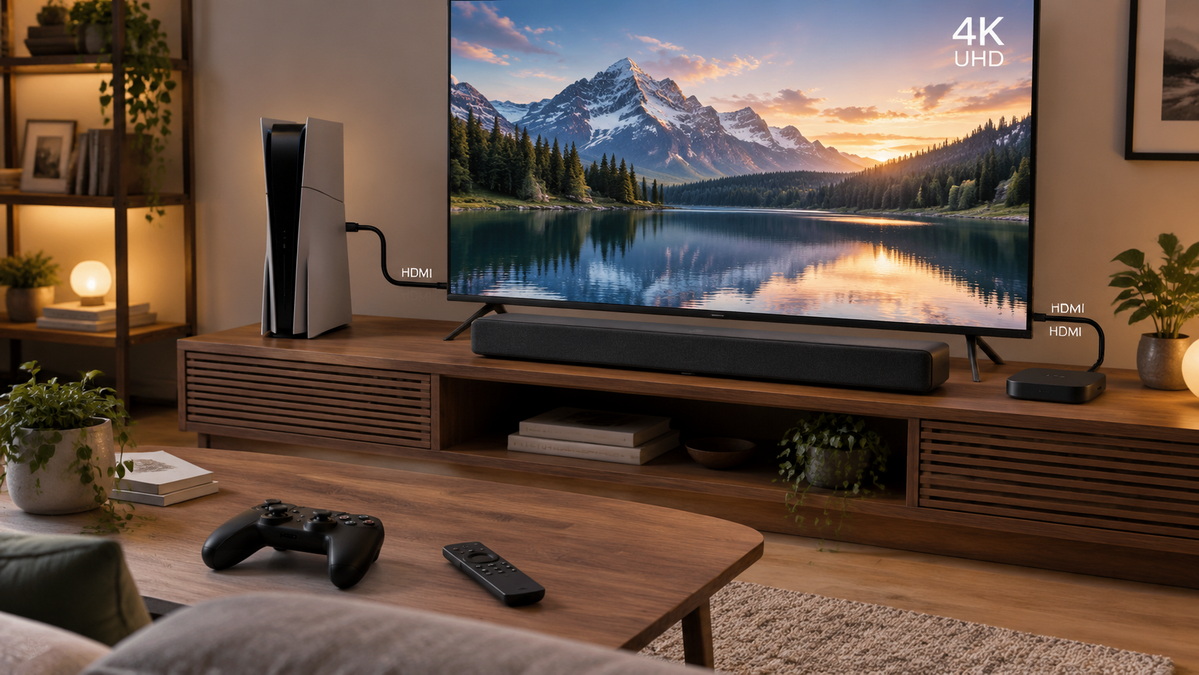
When choosing an HDMI cable, buyers should focus on the required performance level rather than relying only on broad marketing phrases.
The most important consideration is whether the cable can support the bandwidth and functions required by the intended setup.
| Cable Category | Typical Maximum Bandwidth | Typical Use Case | Best For |
|---|---|---|---|
| Standard HDMI Cable | Lower-bandwidth video applications | Basic HD connections | Older or simple television setups |
| High Speed HDMI Cable | Up to 10.2 Gbps | Full HD and selected 4K formats | 1080p devices, 3D content, and standard home use |
| Premium High Speed HDMI Cable | Up to 18 Gbps | 4K UHD video at higher data rates | 4K at 60 Hz, HDR content, modern streaming, and home theater |
| Ultra High Speed HDMI Cable | Up to 48 Gbps | Advanced video and gaming applications | 4K at 120 Hz, 8K at 60 Hz, VRR, ALLM, eARC, and Dynamic HDR systems |

A High Speed HDMI cable is commonly suitable for many Full HD applications. It can support 1080p content and may support selected 4K formats depending on the resolution, refresh rate, color format, and connected devices.
This category can be appropriate for:
- Cable boxes
- DVD players
- Older Blu-ray players
- Basic 1080p television setups
- Office monitors
- Standard home entertainment systems
For simple HD installations, using a higher-bandwidth cable may not produce a visible improvement. The best choice is the cable that meets the real requirements of the system.
A Premium High Speed HDMI cable is intended for demanding 4K UHD applications with a bandwidth requirement of up to 18 Gbps.
This cable category is suitable for many modern 4K setups, including:
- 4K televisions operating at 60 Hz
- 4K streaming media players
- 4K Blu-ray players
- HDR-enabled movie playback
- Home theater receivers
- High-quality commercial displays
For many households, Premium High Speed HDMI cables offer an effective balance between performance and cost. They are often a practical choice for 4K 60 Hz television systems, especially when HDR content is involved.
An Ultra High Speed HDMI cable is designed for high-bandwidth applications requiring up to 48 Gbps of data transmission.
This category is suitable for advanced systems that may use:
- 4K video at 120 Hz
- 8K video at 60 Hz
- Variable Refresh Rate
- Auto Low Latency Mode
- Enhanced Audio Return Channel
- Dynamic HDR formats
- High-frame-rate gaming
- High-end home theater systems
- Next-generation display installations
Ultra High Speed HDMI cables are particularly relevant for users connecting current-generation game consoles or high-performance PCs to compatible 4K 120 Hz televisions and monitors.
However, buying an Ultra High Speed cable does not automatically make every device operate at 4K 120 Hz or 8K. The connected equipment must support the selected format.
Many online product listings use phrases such as "HDMI 2.0 cable" or "HDMI 2.1 cable." These phrases are common in the market, but they can create confusion.
HDMI versions primarily describe the capabilities of an HDMI interface and the features supported by connected devices. Cables should be selected according to their performance category, bandwidth capability, construction quality, length, and intended application.
A better product description is more specific. For example:
> Ultra High Speed HDMI Cable, designed for compatible 4K 120 Hz and 8K 60 Hz applications, with up to 48 Gbps bandwidth support.
This type of description gives customers clearer information. It also helps prevent unrealistic expectations about what the cable can do in a system with older devices.
The right cable depends on what the customer wants to connect and how the system will be used.
Start by checking the display specification:
- Is the TV 720p, 1080p, 4K, or 8K?
- Does it support HDR?
- Does it support 60 Hz, 120 Hz, or a higher refresh rate?
- Which HDMI ports support the highest bandwidth?
- Does the TV support ARC or eARC?
- Does the TV include gaming features such as VRR or ALLM?
It is common for a television to have several HDMI ports with different specifications. A TV may have only one or two ports suitable for 4K 120 Hz or eARC, while its other ports support lower formats.
Next, review the connected source:
- Streaming media player
- Satellite or cable box
- Game console
- Blu-ray player
- Desktop computer
- Laptop
- AV receiver
- Digital-signage player
- Camera or professional video equipment
A basic media box may only output 1080p or 4K 60 Hz. A high-end gaming PC may require far greater bandwidth for 4K 120 Hz or high-refresh-rate monitor output.
| Application | Suitable Cable Choice |
|---|---|
| 1080p HDTV and basic streaming | High Speed HDMI cable |
| 4K TV and 4K streaming at 60 Hz | Premium High Speed HDMI cable |
| 4K HDR movie system | Premium High Speed HDMI cable |
| 4K 120 Hz gaming setup | Ultra High Speed HDMI cable |
| 8K display connection | Ultra High Speed HDMI cable |
| TV and eARC soundbar connection | High-quality cable matched to device requirements |
| Long-distance commercial display installation | Active optical HDMI cable or a professionally designed extension solution |
Cable length is an important selection factor. As bandwidth increases, maintaining stable signal transmission over longer distances becomes more challenging.
A short cable between a TV and game console may be easy to support with a passive cable. A long connection across a conference room, through a wall, inside a conduit, or between equipment racks may require an active HDMI cable, active optical HDMI cable, extender, or specialized installation solution.
For longer HDMI runs, consider:
- Required resolution and refresh rate
- Distance between devices
- Installation route
- Cable bend radius
- Electrical interference
- Power availability
- Directionality of active optical cables
- Compatibility with switchers and AV receivers
- Service access after installation
A cable that works reliably on a one-meter desktop setup may not perform the same way in a ten-meter or twenty-meter commercial installation.
Modern displays and source devices often include advanced HDMI-related functions. These features can improve the entertainment or gaming experience when the full system supports them.
eARC stands for Enhanced Audio Return Channel. It allows a compatible TV to send higher-quality audio back to a compatible soundbar or AV receiver through the HDMI connection.
This can simplify a home-theater setup because the TV can send audio from built-in apps, connected devices, or broadcast sources back to the audio system using one HDMI link.
For eARC to work properly, users generally need:
- A TV HDMI port marked eARC or ARC
- A soundbar or receiver with eARC support
- Correct HDMI and audio settings
- A compatible cable connection
- Proper device firmware
Variable Refresh Rate, often called VRR, allows a compatible display to adjust its refresh timing to better match the output of a game console or graphics card.
This can help reduce:
- Screen tearing
- Stuttering
- Visual lag
- Frame pacing issues
VRR is most useful for gaming systems where frame rates change during gameplay.
Auto Low Latency Mode, or ALLM, allows compatible source devices and televisions to automatically select a low-latency mode when gaming begins.
This can reduce the need for users to manually switch between picture modes. It is useful when a TV is used for both movie viewing and gaming.
HDR improves contrast and color range when compatible content and displays are used. Dynamic HDR formats can adjust image information scene by scene or frame by frame.
The visible result depends on the television's panel quality, brightness capability, HDR format support, source content, and display settings. A cable carries the data, but it does not determine the TV's actual HDR image quality.
Not every problem comes from the cable. The following troubleshooting steps can help identify the source of a connection issue.
If the TV shows no picture, check these steps:
1. Confirm that the correct HDMI input is selected on the TV.
2. Make sure the source device is powered on.
3. Disconnect and reconnect the HDMI cable at both ends.
4. Restart the TV, source device, and any receiver or switcher.
5. Test the source device directly with the TV.
6. Try a different HDMI input on the display.
7. Test with another known-working HDMI cable.
8. Lower the source output resolution temporarily.
9. Update firmware on the TV, receiver, console, or media player if available.
These symptoms may indicate signal instability, especially when high-bandwidth formats are being used.
Possible causes include:
- A cable that does not support the selected signal format
- A damaged cable or connector
- A cable run that is too long for the application
- A poor connector fit
- Electrical interference in the installation environment
- An incompatible receiver, switcher, or splitter
- Incorrect resolution, refresh-rate, or HDR settings
- Handshake issues between devices
A useful test is to reduce the source output from 4K 120 Hz to 4K 60 Hz, or from 4K HDR to standard 4K. If the connection becomes stable, the system may be facing a bandwidth or compatibility limitation.
If a device cannot select the expected 4K, HDR, or high-refresh-rate setting, check the complete connection path.
Look for:
- The correct HDMI port on the TV
- A port setting such as Enhanced Format, Deep Color, Input Signal Plus, or similar terminology
- Compatible source settings
- An AV receiver that supports the desired format
- A cable suitable for the selected output mode
- Current firmware on all major devices
- Content that is actually available in the requested format
For TV-to-soundbar audio problems:
- Use the HDMI ports labeled ARC or eARC.
- Enable HDMI-CEC if required by the TV or soundbar.
- Enable ARC or eARC in device settings.
- Select the correct input on the soundbar or receiver.
- Remove adapters and unnecessary switchers during testing.
- Confirm that the audio format selected by the TV is compatible with the sound system.
For electronics brands, wholesalers, and equipment manufacturers, an HDMI cable is not simply a low-cost accessory. It is a product that can influence customer satisfaction, product-return rates, technical-support workload, and brand reputation.
A reliable OEM cable program should define the actual application before production begins.
Important specification questions include:
- What resolution and refresh rate should the cable support?
- Is the product intended for 1080p, 4K 60 Hz, 4K 120 Hz, or 8K applications?
- What cable lengths will be offered?
- Will the product be passive, active, or active optical?
- What connector shell design and strain-relief structure are required?
- What conductor and shielding design best fits the target market?
- Is the cable for retail, gaming, home theater, professional AV, or industrial use?
- What packaging, branding, language, barcode, and compliance markings are required?
- What quality-control process will apply before shipment?
- Are customer samples and pre-production approvals required?
For Shenzhen Otechkabel Electronic Co., Ltd., OEM cable development can be tailored to the product positioning of overseas brands, wholesalers, and manufacturers. Options may include custom cable lengths, connector housing styles, jacket colors, retail packaging, private-label printing, cable accessories, barcode labels, and carton designs.
A clear OEM requirement could be written as follows:
> We need a private-label Ultra High Speed HDMI cable range for compatible 4K 120 Hz gaming systems. The range should include 1.5 m, 2 m, and 3 m lengths, durable molded connectors, retail packaging, distinct length labels, and defined inspection requirements before shipment.
This approach creates a clearer basis for sampling, product development, packaging approval, and production quality management.
An HDTV is the device that displays high-definition video. An HDMI cable is the connection that carries digital video, audio, and compatible features between devices.
The two products work together, but they serve completely different purposes:
- An HDTV determines what the screen can display.
- An HDMI cable determines whether the signal can travel reliably between compatible devices.
- The best cable category depends on resolution, refresh rate, HDR requirements, audio functions, installation distance, and the rest of the signal chain.
- A system can only perform as well as its lowest-capability critical component.
- Accurate cable selection reduces compatibility problems, customer confusion, returns, and installation failures.
For brands, distributors, and manufacturers seeking HDMI cable products, the most reliable approach is to define the real application first, then develop a cable specification that matches the target equipment, user expectations, product positioning, and installation environment.
No. An HDTV is a television or display that shows video. An HDMI cable is a cable used to transfer digital video and audio signals between devices.
Most modern HDTVs include HDMI ports and use HDMI cables for devices such as game consoles, streaming players, Blu-ray players, laptops, soundbars, and AV receivers. Some older televisions may also use component, composite, VGA, DVI, or other connection types.
An HDMI cable does not add resolution, improve color quality, or upgrade the display. It must simply be capable of transmitting the required signal without instability. If the existing cable cannot reliably handle the selected format, replacing it with a suitable cable can restore the expected picture and sound quality.
Not always. A Premium High Speed HDMI cable is suitable for many 4K 60 Hz HDR systems. An Ultra High Speed HDMI cable is generally the better choice for compatible 4K 120 Hz gaming, 8K applications, VRR, ALLM, eARC, and other high-bandwidth use cases.
The limitation may come from the source device, television input, HDMI cable, AV receiver, switcher, display settings, firmware, or content source. Check the full signal path and make sure every critical component supports 4K output.
It can. A low-quality, damaged, overly long, or incorrectly specified HDMI cable may cause flickering, sparkles, black screens, audio dropouts, or intermittent connections. However, similar problems may also be caused by equipment settings, ports, receivers, splitters, or compatibility issues.
Yes. Longer cables can be more difficult to use reliably at higher resolutions and refresh rates. For demanding long-distance installations, active HDMI cables, active optical HDMI cables, or professional extension solutions may be more appropriate than standard passive cables.
ARC is Audio Return Channel, which allows a TV to send audio to a soundbar or receiver through HDMI. eARC is Enhanced Audio Return Channel, which supports higher-quality audio formats and greater audio bandwidth when both the TV and audio device are compatible.
1. HDMI Licensing Administrator, Inc. [Ultra High Speed HDMI® Cable – Bandwidth Up to 48Gbps]
2. HDMI Licensing Administrator, Inc. [Premium High Speed HDMI® Cable]
3. HDMI Forum. [HDMI Forum Releases Version 2.1 of the HDMI Specification]
4. HDMI Licensing Administrator, Inc. [HDMI 2.2 Specification Technology Overview]
5. American National Standards Institute. [High Definition TV Analog Component Video Interface]
6. European Broadcasting Union. [High Definition Television: Formats and Parameters]


